
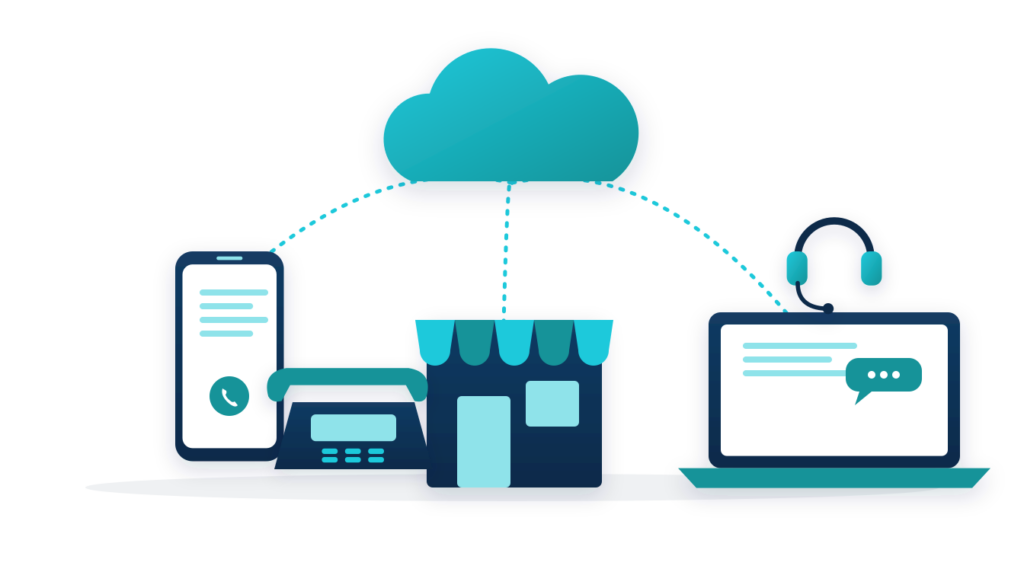
A small business phone system in 2026 is almost always a cloud system. You pay a monthly fee per user, your number lives with a provider on the internet, and calls ring on your cell phone, your laptop or a desk phone. No closet full of hardware. No technician. Most small businesses can be up and running in an afternoon for $15 to $35 per user per month.
But picking the right one is still confusing. Every provider says it’s the best. Every pricing page has three or four plans with asterisks. So this guide is not another ranked list. It’s the buyer guide I wish I had when I first set up phones for my stores. What you actually need, what each feature does, what it really costs and how to set it up without dropping calls.
Quick background on me. I’ve been selling online since 2005 and running high-ticket dropshipping stores since October 2010, and I later started Ecommerce Paradise to teach it. On those stores the phone number sat on every page, because buyers spending thousands of dollars want to talk to a person before they order. Phone sales were a big share of revenue. Today I live in Bali and run a US business number over the internet on Quo, with its AI agent answering when I can’t. That part is first-hand. The provider prices below are research-based, pulled from official pricing pages on November 17, 2026, per our editorial standards.
If you just want my picks, go to my list of the best VoIP for small business. If you want to understand what you’re buying first, keep reading.
What a small business phone system actually is
A business phone system is everything that sits between a customer dialing your number and someone on your team answering it. The number itself. The greeting. The menu that says press 1 for sales. The rules that decide who rings, when and on which device. Voicemail, texting, recordings and reports.
Twenty years ago that meant a PBX box in a back room, copper lines from the phone company and a guy you called when it broke. In 2026 almost all of that lives in the cloud. The provider runs the PBX in its data center and you manage it from a web dashboard.
That’s called a hosted PBX or a cloud phone system, and it runs on VoIP, which means voice over internet protocol.
If those terms are new, start with my business VoIP for beginners guide. Then read my explainer on what VoIP is.
The 3 types you will see
- Cloud or hosted VoIP: the provider runs everything and you pay per user. This is what 9 out of 10 small businesses should buy.
- On-premises PBX: you own the hardware on site and connect it to the phone network, often over SIP trunks. More control, more upfront cost, more maintenance.
- Traditional landlines: copper lines from the local phone company. Features are limited, and every extra line or feature usually means another monthly charge.
I go deeper on the box-in-the-closet option in my guide to hosted PBX systems. The copper side gets its own breakdown in VoIP vs landline. For a team of 1 to 50 people, the honest answer is cloud. The rest of this guide assumes that.
Start with your call flow, not the provider
This is where most people get it backwards. They open 5 pricing pages, compare feature checkmarks and pick the cheapest. Then 3 months later they realize nobody answers sales calls after 5pm and the voicemail box is full.
Before you look at a single provider, write down how calls should move through your business. Grab a piece of paper and answer these questions.
Who answers the phone?
Is it just you? You and a partner? A sales team of 4 and a support person? The number of people who answer calls is your user count, and user count drives most of your cost. Remember that not everyone in the business needs a license. Your bookkeeper probably doesn’t need to take calls.
What happens when nobody picks up?
This is the big one. On my stores, a missed call was often a missed $3,000 order. A buyer who gets voicemail at 7pm will call the next store on Google. So decide now. Does an unanswered call go to voicemail, ring a second person, go to a live answering service or get picked up by an AI agent? I cover the AI option in detail in my AI receptionist guide.
What are your business hours, and where are you?
If you or your team work across time zones, you need time-based routing. I’m in Bali, 15 or 16 hours ahead of US Pacific time depending on the season. My US customers call during their day, which is my night. So my system has to handle calls while I sleep. Yours might need to send calls to a different person on weekends, or play a holiday greeting.
Do customers text you?
More customers text businesses every year, especially for appointments, order updates and quick questions. If texting matters, it changes your shortlist, because some providers treat it as an afterthought. It also brings a carrier registration step that I’ll cover below.
Do you need desk phones?
Many small teams never touch a desk phone. They use the mobile app and a laptop with a headset. But a front desk, a warehouse or a shop floor often wants a real handset. Check my guide to VoIP phones, softphones and adapters before you buy hardware.
Once you have these answers, you have a call flow. Now the features make sense, because you can see which ones you’ll actually use.
Features that matter for a small business
Every provider lists 50 or more features. Most of them you’ll never touch. Here are the ones that make a real difference, in rough order of importance.
Call routing and ring groups
Routing decides where a call goes. A ring group rings several people at once or in order. For a small team, you want simple rules: ring the sales group for 20 seconds, then the owner, then voicemail or AI. Every decent provider does this. The difference is how easy the dashboard is to use when you need to change it on a Saturday.
Auto attendant (phone menu)
The “press 1 for sales, press 2 for support” menu. It makes a small company sound bigger, and it sends people to the right place without a receptionist. Keep it short. 2 or 3 options max. Long menus make callers hang up.
Mobile and desktop apps
This is how you take business calls without giving out your cell number. The app shows your business number as caller ID when you call out. Test the mobile app hard during the trial, because it’s the part of the system you’ll use most. Call quality, notifications and how fast it rings are everything.
Business texting
Look for a shared inbox so the whole team sees texts to the main line, plus templates and auto replies. Some providers bundle texting into every plan. Others charge extra or limit message counts.
Voicemail transcription and call recording
Transcription turns voicemails into text you can read in 10 seconds. Recording helps with training and disputes. But recording has legal rules. Some US states require every party on the call to consent, so set up a short notice in your greeting and check the rules for the states you call into before you turn it on.
AI call answering and summaries
This is the feature that changed the most in the last 2 years. Many providers now offer an AI agent that answers calls, takes messages, answers common questions and sends you a summary. Others offer AI notes and summaries after a human call. For a solo owner or a tiny team, AI answering can replace a part-time receptionist for a few dollars a call.
Integrations
If you live in a CRM like HubSpot or Salesforce, or a help desk, check that the phone system logs calls and texts there automatically. Integrations are often locked to higher plans, so this is where pricing jumps.
Reporting
Missed calls, wait times, call volume by hour. Even a 2-person team should check the missed call report once a week. It tells you when to add coverage.
What a small business phone system costs in 2026
Here’s the honest cost picture. Most small business VoIP plans run $15 to $35 per user per month on annual billing, and more on monthly billing. Then you add a few extras most pricing pages hide in small print.
Here are real entry prices I checked on official pricing pages on November 17, 2026. This is not a ranking, just a sense of the market.
| Provider | Entry plan price | Annual vs monthly | Free trial |
|---|---|---|---|
| Quo | Starter $15 per user per month | $19 per user if billed monthly | 7 days |
| Dialpad | Standard $15 per user per month | Appears to be the annual rate, confirm on the pricing page | 14 days |
| Nextiva | NEXT Core $15 per user per month | $23 per user month to month | Check with Nextiva |
| Grasshopper | Starts at $14 per month | Billed annually, monthly billing costs more | 7 days |
A few things jump out. The entry prices look identical, around $15. The real difference is what each plan includes and how much the price climbs when you go month to month or need integrations.
The costs people forget
- Monthly vs annual billing: the gap can be large. Quo’s Starter is $15 per user per month billed annually and $19 billed monthly. Nextiva NEXT Core is $15 on a 12-month or longer term for new customers with 1 to 100 employees, and $23 month to month, per the Nextiva pricing page.
- Extra phone numbers: you’ll want separate numbers for ads, locations or departments. Quo charges $5 a month for each extra number, per the Quo pricing page.
- Texting registration: carriers require A2P 10DLC registration to text US customers from a local number. Quo lists a $19.50 one-time fee plus $1.50 to $3 a month. Other providers pass on similar fees.
- AI usage: AI agents are often metered. Nextiva lists its XBert AI at $1.50 per conversation. Quo includes 1,000 credits a month on every plan, which is about 10 Sona calls, and paid credit tiers start at $25 a month for about 40 calls.
- Hardware: desk phones are bought separately on most plans. Budget roughly $100 to $300 per handset if you need them.
- Taxes and regulatory fees: VoIP bills carry taxes and fees that vary by location, so expect your real bill to land above the sticker price.
Example budgets
A solo owner on a starter plan with one extra number and texting registered will spend around $25 to $30 a month after the first month. A 5-person team on annual billing will usually spend $75 to $175 a month, depending on the plan tier and AI usage. A 15-person team that needs CRM integration and call center features can easily hit $400 to $700 a month.
My advice: pay monthly for the first 1 to 2 months while you test. Once you know the system works for your team, switch to annual and pocket the savings.
Emergency calling (911) on a business phone system
Don’t skip this section. VoIP 911 works differently from a landline, and you have legal duties as a business.
The FCC’s guide to VoIP and 911 service explains that interconnected VoIP providers must collect your physical location before service starts, give you an easy way to update it and send your callback number and registered location with every 911 call. The FCC also warns that VoIP service may not work during a power outage or when your internet connection fails.
So here’s what to do:
- Register the exact street address, floor and suite for every user and desk phone during setup.
- Update the address any time someone works from a new location. Remote workers matter here.
- Keep a cell phone or backup line available for emergencies in case the internet goes down.
- Tell your team how 911 works on your system, and don’t remove anyone’s ability to dial it.
If your business uses a multi-line phone system, which most cloud systems are, federal rules also apply. The FCC’s multi-line telephone system 911 rules under Kari’s Law require that people can dial 911 directly without a prefix like 9, and that the system notify a central location when someone calls 911. RAY BAUM’S Act requires a dispatchable location, meaning the street address plus details like floor or room, to go with the call. Ask your provider how they handle both, and confirm the setup for your specific location.
Keeping your existing number
If you already have a business number on a landline or another provider, you can almost always bring it with you. This is called porting. According to the FCC’s guide on keeping your number when you change providers, you can keep your number if you stay in the same geographic area, simple ports must be processed in one business day, and your old company can’t refuse to port your number even if you owe money.
The biggest mistake I see is cancelling the old service first. Don’t. The FCC specifically says not to terminate your existing service before you start the new one. Cancelling kills the number and the port fails. Here’s the clean order:
- Sign up with the new provider and get a temporary number.
- Get your account number and port PIN from the old provider, plus a recent bill.
- Submit the port request with your new provider, with the name and address exactly as they appear on the old account.
- Keep the old service active until the port completes and calls ring on the new system.
- Then cancel the old service.
Port times vary by carrier and number type, so plan for a few days to a couple of weeks for complex ports, and ask your provider for an estimate.
How to set up your system in one afternoon
Once you’ve picked a provider, setup is faster than most people expect. Here’s the order I’d follow.
Step 1: Pick your numbers
Choose a local number in your main market, a toll-free number if you sell nationally, or both. Start the port for any existing number on day one, because it takes the longest.
Step 2: Register for texting
Submit your A2P 10DLC registration the same day you sign up. Approval can take days and you can’t text reliably until it’s done.
Step 3: Add users and devices
Invite each user, install the mobile and desktop apps, and plug in any desk phones. Set each user’s emergency address while you’re at it.
Step 4: Build the call flow
Recreate the call flow you wrote down earlier. Business hours, the greeting, a short menu if you need one, ring groups and the after-hours rule. Record your own greeting. Keep it under 15 seconds.
Step 5: Decide what happens to missed calls
Voicemail with transcription at minimum. Better yet, an AI agent or answering service so callers get help instead of a beep.
Step 6: Test everything
Call your own number from a cell phone at different times. Try each menu option. Call after hours. Leave a voicemail. Send a text. Make an outbound call and check the caller ID. Fix anything weird before you put the number on your website.
Step 7: Put the number everywhere
Website header and footer, Google Business Profile, email signature, invoices, packaging. On my stores the number was on every page, right next to the cart. That one change drove more phone orders than anything else I did.
Common mistakes to avoid
- Buying for the team you might have in 3 years instead of the team you have now. You can add users anytime.
- Picking a provider without testing the mobile app on your actual phone.
- Locking into a long contract before a trial. Most good providers have month-to-month plans.
- Forgetting the after-hours plan. Calls at night and on weekends are often your best buyers.
- Ignoring texting registration until messages start failing.
- Not checking whether CRM integration sits on the plan you’re buying.
- Leaving 911 addresses blank for remote workers.
What I’d use for a small business
Here’s exactly what I’d do if I were setting up phones for a small business today.
For most small businesses with 1 to 20 people, I’d start with Quo, because it’s what I run my own business line on from Bali. My US number rings on my phone and laptop, texting works like a normal messaging app, and Sona, Quo’s AI agent, answers when I can’t. People who need me directly know to WhatsApp me. It costs $15 per user per month billed annually, with unlimited US and Canada calling and texting under Quo’s fair usage policy. Read my full Quo review for the good and the bad.
If AI call notes and summaries matter most to your team, look at Dialpad, which has a 14-day trial so you can test it with real calls.
If you want CRM and ticketing tools in the same platform as your phones, Nextiva is worth a trial, but pay attention to the 12-month term on its best price. And if you’re a solo owner who mostly wants a second number on your cell phone, Grasshopper is one of the simplest setups out there.
I haven’t tested Dialpad, Nextiva or Grasshopper hands-on for this site. Those recommendations come from their official pricing pages and published product documentation.
Get a real business phone system running today
Quo starts at $15 per user per month billed annually, with a 7-day trial, $5 extra numbers and the Sona AI agent on every plan.
FAQ
What is the best phone system for a small business?
For most small businesses, the best phone system is a cloud VoIP system with a mobile app, simple routing, texting and AI or voicemail coverage for missed calls. Which provider is best depends on your team size and tools. I compare specific providers in my best VoIP for small business picks.
How much does a small business phone system cost?
Most cloud plans cost $15 to $35 per user per month on annual billing in 2026, with monthly billing costing more. Add extra numbers, texting registration fees, AI usage, taxes and any desk phones. A 5-person team usually lands between $75 and $175 a month.
Do I need a desk phone for a business phone system?
No. Most cloud phone systems work fully on a mobile app and a desktop app. Desk phones are optional and make sense for front desks, shared spaces and people who are on the phone all day.
Can I keep my current business number?
Yes, in most cases. FCC rules let you port your number when you switch providers in the same geographic area, and simple ports must be processed in one business day. Keep your old service active until the port is complete.
Is VoIP reliable enough for a small business?
Yes, if your internet connection is solid. A stable broadband connection handles many simultaneous calls. Keep a backup plan, like call forwarding to cell phones, for internet or power outages, and remember 911 may not work on VoIP during an outage.
What is the difference between a virtual phone system and a full phone system?
A virtual phone system mostly forwards calls to existing cell phones and adds a greeting and voicemail. A full cloud phone system adds desk phone support, ring groups, call queues, reporting and integrations. My guide to a virtual phone number for business covers the lighter option.
Related guides
- Business VoIP for beginners
- Best VoIP for small business
- Cloud phone systems explained
- Hosted PBX guide
- AI receptionist guide

Trevor Fenner publishes VoIP Paradise, covering business phone software, remote-team communications and practical calling workflows. Articles distinguish documented research from direct testing.