
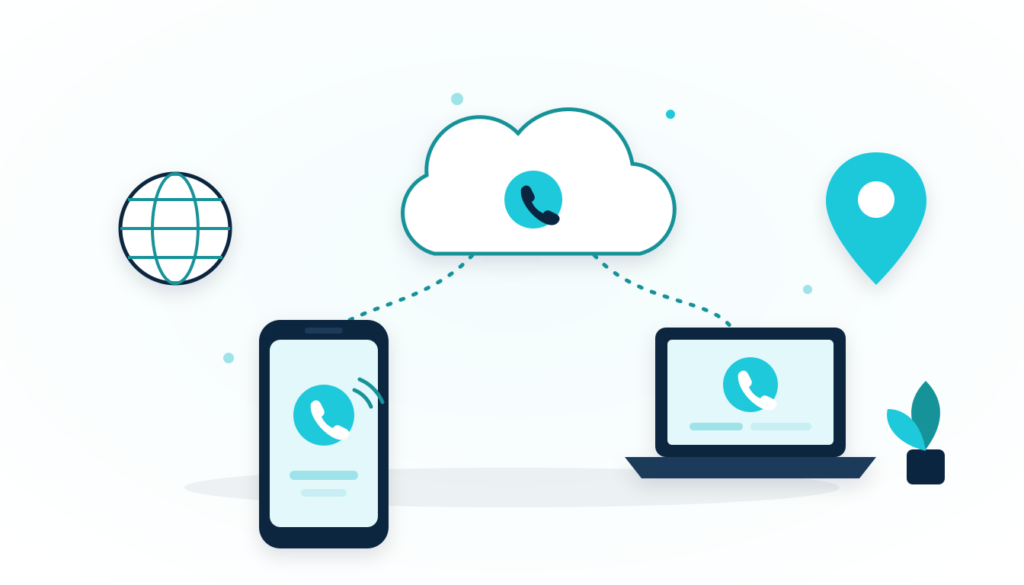
A virtual phone number for business is a real phone number that isn’t tied to a physical phone line or a SIM card. It lives in the cloud. Calls and texts to that number ring on your cell phone, your laptop, a desk phone, or a teammate’s app, wherever you are. In 2026 it’s the cheapest, fastest way to get a professional business line, and most small businesses should have one.
I’ve been running one for years. I’ve been selling online since 2005 and running high-ticket dropshipping stores since October 2010. On those stores the phone number sat on every single page, because buyers spending thousands want to call before they order. Phone sales were a big share of revenue. Today I live in Bali and still run a US business number over the internet, with an AI agent answering when I can’t. So this guide comes from someone who actually depends on a virtual number every day.
Quick note on how I did this: my own number runs on Quo (formerly OpenPhone), so that part is first-hand. The other providers below are research-based, from their official pricing pages, which I checked on November 3, 2026. I haven’t tested them hands-on for this site, per our editorial standards.
What is a virtual phone number?
A virtual phone number is a phone number hosted by a cloud phone provider instead of a phone company line running into your building. It uses VoIP (voice over internet protocol) to send calls over the internet. If you want the technical background, my guide on what a VoIP number is goes deeper. My business VoIP for beginners guide covers the bigger picture.
To your customers, it looks and works like any normal number. They dial it, it rings, you answer. The difference is all on your side:
- It rings on any device with an app and an internet connection
- You can route it to different people based on time of day or a phone menu
- You can text from it (after carrier registration, more on that below)
- You can add more numbers in minutes, for new locations, teams or ad campaigns
- You can keep it forever, even if you move, switch cell carriers or leave the country
That last one is huge for me. My business number didn’t change when I moved to Bali. My customers never knew the difference.
Why your business needs a separate number
I see so many small business owners still putting their personal cell number on their website. Don’t do that. Here’s why.
You look more professional
A dedicated business line with a proper greeting, business hours and voicemail makes a one-person shop look like a real company. On high-ticket stores, that trust is everything. Nobody wants to send $6,000 to a store whose phone number goes to “Hey, it’s Mike, leave a message.”
You protect your privacy
Your personal number ends up on lead lists, spam lists and robocall databases the second it’s public. A business number keeps that noise off your personal phone. And if a number gets burned by spam, you can swap it without changing your personal cell.
You can hand it off
When you hire your first employee or a virtual assistant, you can share the number or route calls to them. Try doing that with your personal cell. A virtual number makes the business bigger than you.
You never miss a sale because you’re busy
Most virtual number providers let you route unanswered calls to a teammate, voicemail with transcription, or an AI agent. I use an AI agent called Sona inside Quo. It answers when I can’t, takes details, and sends me a summary. My AI receptionist guide explains how that works and what it costs.
Types of virtual business numbers
| Number type | What it looks like | Best for |
|---|---|---|
| Local number | A city area code, like 206 for Seattle | Local service businesses, looking local in a new market |
| Toll-free number | 800, 888, 877, 866, 855, 844 or 833 | National brands, ecommerce stores, support lines |
| Vanity number | A number that spells a word, like 1-800-FLOWERS style | Memorable advertising |
| International number | A number in another country | Selling into other countries, global teams |
My take: for most online stores, a toll-free number builds instant national trust. For local service businesses, a local area code usually gets more calls because people trust local. If you’re not sure, get one of each. On most providers an extra number is around $5 a month.
How much does a virtual phone number cost?
Prices below come from each provider’s official pricing page, checked November 3, 2026. Always confirm on the official page before you buy, because pricing in this space changes often.
| Provider | Starting price | What you get |
|---|---|---|
| Quo | $15 per user per month billed yearly, $19 monthly | 1 local or toll-free number per user, unlimited US and Canada calling and texting, extra numbers $5 a month |
| Unitel Voice | $9.99 a month, or $84 a year on the Solo plan | 1 toll-free or local number, auto attendant, voicemail transcription, 30 days risk-free |
| Grasshopper | From $14 a month (True Solo) | Dedicated business number for solo owners, 7-day free trial with no credit card |
| Talkroute | $19 a month (Basic) | 1 user, 1 number, 500 texts a month, unlimited calling |
| Google Voice | $10 per user per month (Starter) | 1 number on all devices, unlimited domestic calling and US texting |
| KrispCall | From $12 a month, per its pricing page | Cloud phone system with local, mobile and toll-free numbers, 14-day money-back guarantee |
Watch for the extra fees too. If you want to text customers from a US business number, carriers require 10DLC registration through The Campaign Registry. Quo’s pricing page lists that as a $19.50 one-time carrier review fee plus $1.50 to $3 a month. Unitel Voice lists $19.50 one-time plus $1.50 a month. Taxes and regulatory fees also get added on top of most plans.
The best virtual phone number providers in 2026
1. Quo: best overall for small businesses (what I use)
Who it’s for: solo owners and small teams who want calling, texting, a shared inbox and an AI agent in one simple app.
What it costs: Starter is $19 per user per month billed monthly, or $15 billed yearly. Business is $33 monthly or $23 yearly. Scale is $47 monthly or $35 yearly. Every user gets 1 local or toll-free number, and extra numbers are $5 a month each. Quo offers a 7-day free trial and helps you port an existing number in for free.
Strengths: calling and texting to US and Canadian numbers are included on all plans under Quo’s fair use policy, and you can call them from any country as long as you have internet. That’s exactly how I run my US line from Bali. You also get 10 AI agent calls a month from Sona on every plan, voicemail transcripts on Starter, and auto call recording, phone menus and call transfers on Business.
Drawbacks: phone menus, call transfers and AI summaries for all calls need the Business plan or higher. International calling to non-US numbers costs extra per minute.
If you want the setup I trust with my own business line, start with Quo because it’s simple, cheap and works from anywhere. I break it all down in my Quo review.
2. Unitel Voice: best budget pick with an auto attendant
Who it’s for: solo owners and small offices that want a toll-free or local number with a professional phone menu at a low price.
What it costs: Solo is $9.99 a month or $84 billed yearly with 1 user. Team is $19.99 a month or $168 a year with unlimited users. Office is $29.99 a month or $252 a year with 3 users included and more at $7.99 per user per month. Unitel Voice offers a 30-day risk-free trial.
Strengths: unlimited calling and texting, auto attendant with custom greetings, and free professional voice recordings for your greetings on every plan. The Team plan adds unlimited employee and department extensions and live call transfer.
Drawbacks: texting needs carrier registration and fees. It’s a more traditional phone system feel than an all-in-one app like Quo.
This is research-based, not tested by me. If you want a toll-free number with a polished greeting for under $10 a month, Unitel Voice is worth a look because of its low starting price and free voice recordings.
3. Grasshopper: best for simple solo setups
Who it’s for: solopreneurs who want a separate business number on the phone they already carry, without learning a big phone system.
What it costs: Grasshopper’s pricing page lists 3 plans: True Solo from $14 a month, Solo Plus at $25 and Small Business at $55. It says annual billing saves over 20%, so confirm whether the price you see is monthly or annual. There’s a 7-day free trial with no credit card required.
Strengths: a simple setup focused on giving solo owners a dedicated business number they can use on the go, and Grasshopper says it has served over 400,000 customers.
Drawbacks: the pricing page doesn’t spell out every plan limit up front, so compare the feature lists carefully against Quo if you plan to grow a team.
Research-based, not tested by me. My full Grasshopper review covers the plans in more detail. If you just want a second line on your cell with zero hardware, Grasshopper keeps it simple.
4. Talkroute: best for small teams on a flat price
Who it’s for: small teams that want several users on one flat monthly price.
What it costs: Basic is $19 a month with 1 user, 1 number and 500 texts a month. Plus is $39 a month with 3 users, 2 numbers and 2,000 texts. Pro is $59 a month with 10 users, 3 numbers, 5,000 texts and call recording. Extra users are $5 each. Talkroute also offers a free trial.
Strengths: user-friendly flat pricing. Plus adds a phone menu, extensions, simultaneous ring and live call transfer. Talkroute also sells AI add-ons priced per AI minute.
Drawbacks: text message caps on each plan, and call recording only shows up on Pro.
Research-based. For a team of 3 to 10 on a budget, Talkroute can beat per-user pricing because the users are bundled in.
5. Google Voice: best if you already live in Google Workspace
Who it’s for: businesses already paying for Google Workspace that want calling built into Gmail and Calendar.
What it costs: Google lists a Voice Only Starter plan at $10 per user per month for 1 user in the US. As a Workspace add-on, Starter is $10 per user per month for up to 10 users, Standard is $20 and Premier is $30. There’s also a free personal Google Voice, but that’s not built for business use.
Strengths: works in Gmail, ties into Calendar working hours, blocks spam, and transcribes voicemail. Standard adds auto attendants, ring groups and call queuing.
Drawbacks: Starter is very basic, with no auto attendant. Business texting and international setup have more limits than dedicated tools. I go deep on this in my Google Voice for business guide.
This section is research-based. Check the official Google Voice plans page for current pricing and country availability.
6. United World Telecom: best for international numbers
If you sell into other countries, you might want a local number in the UK, Australia or Germany that forwards to you. United World Telecom says it offers virtual numbers in more than 160 countries, with plans starting as low as $7.95 a month and no setup fees. You can check coverage and rates on the United World Telecom virtual numbers page. Research-based, not tested by me. For more on calling abroad, see my guide to VoIP international calls.
How to get a virtual phone number for your business
Here’s the exact process I’d follow. It takes about 30 minutes plus carrier review time for texting.
Step 1: Pick local, toll-free, or both
Think about who calls you. Local customers? Get a local area code. National online store? Toll-free. Not sure? Start with one and add the other later for about $5 a month.
Step 2: Choose a provider
Use the table above. For most small businesses, I’d start with Quo because the number, texting, team inbox and AI agent all come in one app. If budget is the only factor, look at Unitel Voice.
Step 3: Pick a new number or port your existing one
If you already have a business number on a landline or cell plan, you can usually bring it with you. That’s called porting. FCC rules generally let you keep your number when you switch providers, as long as you stay in the same area. The FCC guide to keeping your number when you change providers explains your rights. Don’t cancel your old service until the port is complete, or you can lose the number. Ask your new provider for their porting form and timeline.
Step 4: Register for business texting
If you plan to text customers from a US local number, you’ll need to register your business for 10DLC through your provider. It’s a one-time form plus a small monthly fee. Unregistered business texts can get blocked or filtered by carriers. Start this on day one because the review can take a while.
Step 5: Set up your greeting, hours and routing
Record a short greeting with your business name. Set business hours. Decide where calls go after hours: voicemail, a teammate, an answering service or an AI agent. Write it down so your whole team knows the flow.
Step 6: Set your emergency address
This one matters. 911 on internet-based phones can work differently than on a landline, because the system needs to know where you are. The FCC’s consumer guide to VoIP covers the basics. Register your physical address with your provider, update it if you move, and know that VoIP may not work during a power or internet outage. Always keep a cell phone handy for emergencies, and confirm 911 details with your provider for your location.
Step 7: Put the number everywhere
Website header, footer, contact page, product pages, Google Business Profile, invoices, email signature. On my high-ticket stores, the phone number was in the header of every page. That alone drove a big share of sales.
Common problems (and how to avoid them)
Your calls show up as “Spam Likely”
New numbers sometimes get flagged by carriers. Register your business with your provider, keep call volume natural, and avoid blasting cold calls from a fresh number. The FCC requires phone companies to use STIR/SHAKEN caller ID authentication to fight spoofed robocalls, which you can read about on the FCC call authentication page. Most good business VoIP providers handle this for you.
Texts don’t get delivered
Nine times out of ten, this is missing or rejected 10DLC registration. Finish it before you start texting customers.
Bad call quality
VoIP is only as good as your internet. On a weak connection, calls get choppy. When I’m on the move in Bali, I switch to a strong Wi-Fi network or a good mobile data signal before important calls. For a desk setup, use a wired connection if you can.
Missing calls when you’re busy
Set up a fallback. A teammate, voicemail with transcription, or an AI agent. Never let a business number ring out to nothing.
Virtual number vs a second SIM or a landline
| Option | Pros | Cons |
|---|---|---|
| Virtual phone number | Rings anywhere, cheap, easy to add users and numbers, texting, AI options | Needs internet, texting needs registration |
| Second SIM or eSIM | Works without data, simple | Tied to one phone, hard to share with a team, not built for business features |
| Traditional landline | Very reliable on copper lines where still available | Expensive, stuck at one location, few modern features |
For almost every small business in 2026, a virtual number wins. I compare the bigger systems in my guide to the best virtual phone systems for small business.
What I’d do if I were starting today
If you’re a solo owner or a small team, get Quo because it gives you a real business number, texting, an app on every device and an AI agent for one low price. Pick a toll-free number if you sell online nationally, or a local one if you serve a city. Port your old number in if you have one. Register for texting on day one. Put the number on every page of your website.
That’s exactly the playbook I used on my stores, and I still teach the business side of it over at Ecommerce Paradise. Buyers call before they buy. Make it easy for them to reach you, and make sure someone (or something) always answers.
FAQ
Can I get a virtual phone number for free?
Yes, free options like personal Google Voice exist, but they aren’t built for business. Paid business plans start around $10 to $19 a month as of November 2026 and add features like business texting registration, phone menus, team sharing and support.
Is a virtual phone number a real number?
Yes. It’s a real phone number that anyone can call or text. It just isn’t tied to a physical line or SIM card. It runs over the internet through a cloud phone provider.
Can I keep my existing business number?
Usually, yes. FCC rules generally let you port your number when you switch providers if you stay in the same area. Start the port with your new provider and don’t cancel your old service until the port is finished.
Can I use a virtual phone number from another country?
Yes, as long as you have a good internet connection. I run my US business number from Bali. Check your provider’s fair use and international rules first.
Do virtual phone numbers work with 911?
Many business VoIP services support 911, but it can work differently than a landline. Register your physical address with your provider, keep it updated, and keep a cell phone available in case of power or internet outages. Confirm details with your provider for your location.
What’s the best virtual phone number for a small business?
For most small businesses, I recommend Quo because it bundles a number, unlimited US and Canada calling and texting, a team inbox and an AI agent from $15 per user per month billed yearly.
Related guides
- Business VoIP for beginners
- What is a VoIP number?
- Best virtual phone systems for small business
- Google Voice for business
- AI receptionist guide

Trevor Fenner publishes VoIP Paradise, covering business phone software, remote-team communications and practical calling workflows. Articles distinguish documented research from direct testing.