
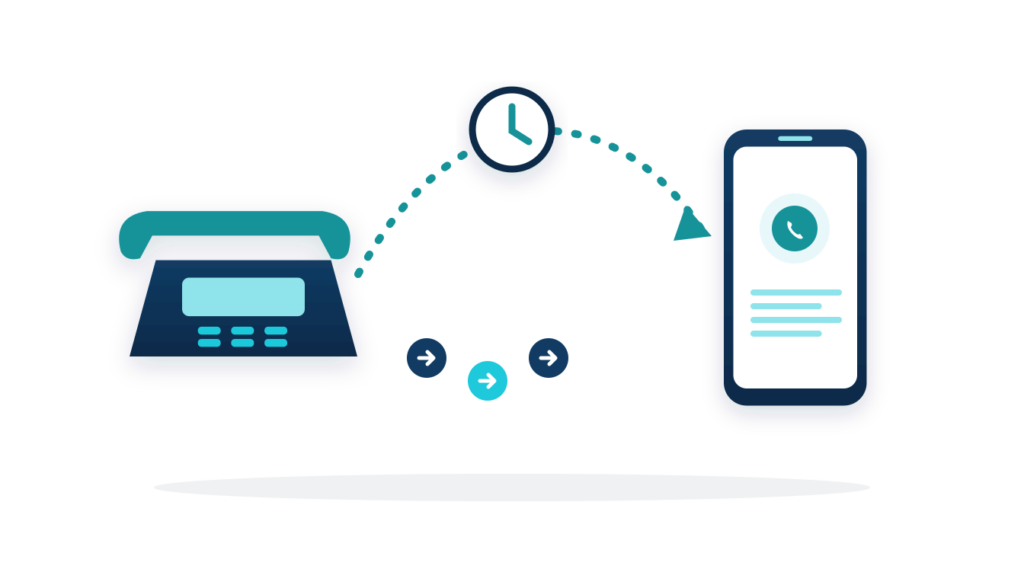
Call forwarding sends calls that ring one phone number to a different number. That’s the whole idea. Somebody dials your business line, and your cell phone rings instead. Or your office line forwards to your home phone after 5pm. Or calls you miss bounce over to a teammate or an answering service.
It sounds simple, and turning it on usually takes about 30 seconds. But for a business, the way you forward calls matters a lot more than people think. Forward the wrong way and you lose caller ID context, rack up minutes, miss calls when you travel and end up giving out your personal cell number by accident.
In this guide I’ll show you how call forwarding works, the exact steps on iPhone and Android from Apple, Google, Samsung and carrier support pages, the Verizon star codes, and why I stopped relying on carrier forwarding for my own business line years ago. Everything is current as of November 2026.
Quick background on me. I’ve been selling online since 2005 and running high-ticket dropshipping stores since October 2010. I started Ecommerce Paradise in 2015 to teach that model. On my stores, the phone number was on every single page, and phone sales were a big chunk of revenue. When someone is about to spend $3,000 on a product, they want to talk to a human first. So I care a lot about calls getting answered. The step-by-step instructions below come from official Apple, Google, Samsung, AT&T and Verizon support pages, checked on November 17, 2026, per our editorial standards.
What is call forwarding?
Call forwarding is a phone feature that redirects an incoming call from the number someone dialed to another number you choose. The caller doesn’t do anything different. They dial your number like normal, and the phone network or your phone provider routes the call to the forwarding destination.
There are a few flavors you’ll run into.
Unconditional call forwarding
Every call forwards, every time. Your original phone doesn’t ring at all. Verizon’s support page puts it plainly: when call forwarding is on, your mobile phone won’t ring and the call goes straight to the number that’s receiving your forwarded calls. This is what most people mean when they say “forward my calls.”
Conditional call forwarding
Calls forward only in certain situations. The common ones are:
- No answer: the call forwards after your phone rings a set number of times
- Busy: the call forwards when you’re already on another call
- Unreachable: the call forwards when your phone is off or has no signal
Conditional forwarding is usually the better setup for a business. Your main phone rings first, and only the calls you can’t take go somewhere else, like a teammate, an answering service or an AI receptionist.
Scheduled or time-based forwarding
Calls forward based on the time of day. For example, ring the office during business hours and forward to an on-call cell after hours. Carriers usually don’t offer this on a regular phone plan. Business VoIP providers do, through business hours settings and call flows.
Simultaneous ring
This isn’t forwarding exactly, but people often want it when they search for forwarding. One call rings several phones at the same time, and whoever picks up first gets it. Most business phone apps support this.
How to forward calls on iPhone
Apple’s iPhone User Guide has an official page on how to set up call forwarding on iPhone. Here are the steps as Apple lists them in the current version of iOS:
- Go to the Settings app
- Tap Apps, then tap Phone
- Tap Call Forwarding, then turn on Call Forwarding
- If your iPhone has Dual SIM, choose a line under SIMs
- Tap Forward To, enter the number you want to redirect to, then tap Back
On older versions of iOS, Phone sits directly in the main Settings list instead of under Apps. The rest is the same.
When forwarding is on, Apple says a call forwarding icon shows up in the status bar. That’s a good thing to check if your phone suddenly stops ringing and you can’t figure out why.
iPhone call forwarding limits
Apple notes a few catches that trip people up:
- The Call Forwarding menu works if your cellular service runs on a GSM network. If you’re on a CDMA network, Apple says to contact your carrier for setup.
- You must be in range of the cellular network when you turn on forwarding, or calls won’t forward.
- The iPhone menu is all-or-nothing. For conditional forwarding, like forwarding only when busy or out of service, Apple says to contact your carrier for setup information.
Apple also added a scam warning. iPhone alerts you and blocks links in messages, email, webpages or apps that ask you to turn on call forwarding. That’s because scammers try to trick people into forwarding their calls so they can intercept verification codes. If anyone texts you a link or a code and asks you to “activate” something, don’t do it.
How to forward calls on Android
Android is a little messier because every phone maker skins the Phone app differently. The menu names change, but the path is similar on almost every phone: Phone app, then Settings, then a calling or supplementary services menu, then Call forwarding.
Google Pixel (Phone by Google app)
AT&T’s device support page for the Google Pixel call forwarding setup lists these steps:
- From the Phone app, tap the menu icon
- Tap Settings
- Tap Calling accounts
- Select the SIM you want to set up
- Tap Call forwarding
- Tap Always forward (or pick a conditional option)
- Enter the phone number and tap Turn on
After you turn it on, AT&T says a phone receiver icon with an arrow appears in the status bar. On a Pixel you’ll also usually see options for when busy, when unanswered and when unreachable, which are the conditional options I covered above.
Samsung Galaxy
Samsung’s support page on how to enable call forwarding on a Galaxy phone gives these steps:
- Open the Phone app and tap More options (the 3 dots) in the top right corner
- Select Settings
- Scroll down and select Supplementary services (some versions label it Complementary services)
- Tap Call forwarding
- Select one of the call forwarding options
- Enter the number you want calls forwarded to and tap Turn on
If you don’t see Call forwarding on any Android phone, your carrier may handle it through a dial code instead, or your phone may be on a network type where the menu isn’t supported. In that case, use the carrier’s code or call their support line.
Carrier call forwarding codes
You can also turn forwarding on and off by dialing a short code from the phone itself. These codes are set by the carrier, so they’re different from carrier to carrier. I’m only listing codes I could confirm on an official carrier page.
Verizon’s call forwarding FAQ page lists these:
| What you want | Verizon code | Example |
|---|---|---|
| Forward all calls | *72 plus the 10-digit number | *72 908 123 4567 |
| Forward only calls you don’t answer | *71 plus the 10-digit number | *71 908 123 4567 |
| Turn call forwarding off | *73 | *73 |
A few Verizon details are worth knowing. Verizon says the forwarding number must be a 10-digit US number with the area code, even for a local number. It also says calls can’t be forwarded to international numbers. And you can’t set up forwarding while you’re outside Verizon’s coverage area or traveling internationally, although forwarding you set up before you leave should keep working while you roam.
For AT&T, T-Mobile and smaller carriers, I’d use the phone’s settings menu shown above, or check your carrier’s own support page for the current codes. I’m not going to copy codes from random blogs, because a wrong code is the most common reason forwarding “doesn’t work.”
Does carrier call forwarding cost money?
Usually there’s no monthly fee, but the minutes count. Verizon says there’s no monthly fee for call forwarding on most plans, with a possible fee on some older plans. If you don’t have unlimited minutes, Verizon bills forwarded calls like any other call you’d answer on your mobile phone, even when the call goes to a landline.
So if your plan is unlimited, forwarding a business line to your cell is basically free. If it’s not, every forwarded call eats minutes. Check your plan before you forward a busy sales line.
Why I don’t use carrier forwarding for my business line
Here’s the honest truth. Carrier forwarding is fine for personal stuff, like sending calls to your home phone for a weekend. For a business, I think it’s the wrong tool, and the reason is personal for me.
I’ve lived in Bali since around 2019, and my business still runs on a US phone number. If that line lived on a US carrier SIM and I tried to forward it to my Indonesian number, I’d hit a wall. Verizon, for example, says calls can’t be forwarded to international numbers. Even if a carrier allowed it, I’d be paying international rates on every forwarded call.
So I don’t forward at all. My US business number runs on Quo (formerly OpenPhone), which is a VoIP provider. The number lives in the cloud, and calls ring the Quo app on my phone and laptop over the internet, wherever I am. When I can’t pick up, Quo’s AI agent, Sona, answers for me. And anyone who wants me directly knows to WhatsApp me. That setup does what people usually want call forwarding to do, without the carrier limits.
That’s the big difference. With a VoIP number, you’re not forwarding a call from one network to another. You’re just choosing which apps and devices ring. If you’re new to how that works, my beginner’s guide to business VoIP walks through it.
The problems with forwarding a business number to your cell
When you forward a business line to a personal cell, a few things go wrong:
- You can’t tell business calls from personal calls. Your phone rings and you have no idea if it’s a customer or your mom. With a business phone app, the call shows up labeled as a business call.
- Callbacks show your personal number. When you call a customer back from your cell, they see your personal number, not the business line. Now your personal cell is out in the world forever.
- No business texting. Carrier forwarding moves calls, not texts. Verizon’s FAQ has a section on this, and the short answer is that call forwarding doesn’t forward text messages.
- No recordings, transcripts or notes. The call leaves your business system, so you lose the history that helps you follow up.
- No business hours. Basic forwarding is on or off. You can’t say “ring me 9 to 5, send everything else to voicemail” without extra tools.
That’s why most businesses I talk to are better off with a virtual phone number for business that rings an app, instead of a carrier line forwarded to a cell.
Call forwarding on business VoIP systems
Business phone providers treat forwarding as one step in a call flow. You decide what happens when a call comes in: ring these people, then try this number, then go to voicemail or an AI receptionist. That’s much more flexible than a carrier’s on or off switch.
Here’s what you can typically do with a business VoIP system:
- Forward all calls to a cell or another office
- Forward only after a set number of rings
- Forward after hours to an on-call number or an answering service
- Ring several people at once, then forward if nobody answers
- Send calls into a phone menu first, which I cover in my guide to setting up an auto attendant
How forwarding works in Quo
Since Quo is what I use, here’s what its help center says. Quo’s call forwarding help article describes two approaches. You can forward all calls, which is simple and immediate. Or you can use conditional forwarding inside a call flow, like ringing your team during business hours and forwarding after hours.
The article also lists some limits, and I like that they’re upfront about them:
- Call forwarding currently supports only US and Canadian numbers
- Each forwarded call uses 2 call legs and counts double toward your usage
- Forwarded calls show the original caller’s number as caller ID, not your Quo number
- Quo can’t record or transcribe calls forwarded to an outside number, and unanswered forwarded calls don’t go to Quo voicemail
That last point is exactly why I let calls ring the Quo app instead of forwarding them out. When the call stays inside the app, I get the recording, the transcript and Sona’s summary. When it leaves, I lose all that.
As of November 17, 2026, Quo’s pricing page lists Starter at $19 per user per month ($15 billed annually), Business at $33 ($23 annually) and Scale at $47 ($35 annually), with a 7-day free trial. Phone menus show up on the Business and Scale plans. If you want a business line that rings your cell without forwarding, Quo is what I’d start with because it’s simple and the app is the best I’ve used.
Other good options for forwarding
A couple of other providers built their whole product around forwarding calls to your existing phone.
Grasshopper is the classic choice for solo owners who just want a business number that rings their cell. Its pricing page advertises plans starting at $14 a month and a 7-day free trial. I haven’t tested Grasshopper hands-on, so this is research-based. My Grasshopper review covers the details.
Talkroute is worth a look if you want forwarding plus a phone menu on a small budget. On November 17, 2026, its pricing page listed Basic at $19 a month with 1 user, Plus at $39 a month with 3 users and 1 menu, and Pro at $59 a month with 10 users, unlimited menus, call recording and scheduled call forwarding. Extra users are $5 a month each. Again, this is from Talkroute’s official page, not my own testing.
If you’re comparing more apps, my list of the best VoIP apps for iPhone and Android ranks the ones that work well as a “business line on your cell.”
Carrier forwarding vs a business phone app
Here’s how the 2 approaches stack up for a small business.
| Feature | Carrier call forwarding | Business VoIP app |
|---|---|---|
| Monthly cost | Usually no fee, minutes may count | Monthly per-user plan |
| Forward to international numbers | Often blocked (Verizon says no) | Not needed, the app rings anywhere with internet |
| Separate business caller ID | No, callbacks show your cell | Yes, calls go out from the business number |
| Business texting | No, texts don’t forward | Yes, on most plans |
| Business hours routing | No | Yes |
| Recordings and transcripts | No | Yes, when calls stay in the app |
| Phone menu | No | Yes, on most business plans |
| Setup time | 30 seconds | 10 to 20 minutes |
Carrier forwarding wins on price and speed. The business app wins on everything else. If your phone number is a real sales channel, the app pays for itself fast.
How to set up call forwarding for a small business, step by step
Here’s the setup I’d recommend for most small businesses in 2026.
Step 1: Decide where calls should go
Write down who should answer and when. For example: ring the owner and 1 salesperson from 9am to 6pm Eastern. After hours, send to voicemail or an AI receptionist. On weekends, ring the owner only.
Step 2: Get a business number that isn’t tied to a SIM
Either get a new number from a VoIP provider or move your existing business number over. Moving it is called porting, and my guide on how to port a business phone number covers the account number, PIN and timeline. Don’t skip this step and just forward your old carrier line forever. You’ll keep paying for 2 services.
Step 3: Install the app on every device that should ring
Put the app on your phone, your laptop and your team’s phones. Turn on notifications. Test an inbound call from a different phone.
Step 4: Set business hours and the after-hours rule
This is where most people stop too early. Decide what happens when nobody answers. For a sales line, I’d rather have an AI agent or a live answering service pick up than send people to voicemail. My AI receptionist guide explains how that works.
Step 5: Only use outside forwarding when you need it
If you truly need to forward to an outside number, like a partner’s office or an answering service, set it as a fallback step in the call flow. Remember that with many providers, forwarded calls cost double and lose recording.
Step 6: Test it every few months
Call your own business number from a cell phone once a quarter. Let it ring out. Check what happens after hours. You’d be shocked how many businesses have a broken forwarding rule sending customers to a full voicemail box.
Common call forwarding problems and fixes
Here are the issues I see most often, with the fix for each.
Calls aren’t forwarding at all
Check that forwarding is actually on. Look for the status bar icon on iPhone or Android. Apple’s and Verizon’s notes both point to the same thing: you need cellular coverage when you turn it on. Try again with full signal.
Callers hear a busy signal
Verizon says this often means the forwarding number was entered wrong, sometimes because extra buttons got pressed during setup. Turn forwarding off with *73 and set it up again with the full 10-digit number.
My phone stopped ringing and I don’t know why
Forwarding might be on and you forgot. Check Settings on iPhone or the Call forwarding menu on Android and turn it off. Also check for a scam. If someone convinced you to dial a code, turn forwarding off right away and call your carrier.
Forwarded calls show the wrong caller ID
Depending on the system, forwarded calls show either the original caller’s number or your business number. Quo, for example, shows the original caller. If your team needs to know a call came from the business line, ring the app instead of forwarding to a personal cell.
Forwarding works in the US but not abroad
Carriers often block forwarding to international numbers and setup while roaming. The fix is to stop forwarding and use a VoIP app that rings over the internet. That’s exactly how I run my US line from Bali.
Is call forwarding legal and safe?
Yes, forwarding your own calls is legal. The 2 things to watch are scams and recording rules.
On scams, Apple’s warning is the one to remember. Don’t turn on forwarding because someone sent you a link or asked you to dial a code. Criminals use forwarding to grab one-time passcodes sent by voice call.
On recording, if your business phone system records calls, you need to follow consent laws in the states where you and your callers are. Some states require everyone on the call to agree. My guide to call recording laws by state covers that, and it’s worth reading before you turn on automatic recording.
What I’d do if I were starting today
If I were setting up a business line from scratch in 2026, I wouldn’t forward a carrier number at all. I’d do this:
- Get a business number on Quo and install the app on my phone and laptop
- Set business hours and let the AI agent answer missed and after-hours calls
- Add a simple phone menu once there are 2 or more people answering
- Use carrier forwarding only for my personal cell, and only when I need it
If you want something even simpler and you’re a one-person shop, Grasshopper’s forwarding-based setup is a reasonable pick. So is Talkroute’s Basic plan. I’d still confirm current prices on their pricing pages before you buy.
The main lesson from my years of phone sales is simple. A missed call on a high-ticket store can be a lost $5,000 order. Don’t let a forwarding rule be the reason it goes unanswered.
FAQ
What is call forwarding?
Call forwarding redirects incoming calls from the number someone dialed to another number you choose. It can forward every call, or only calls you don’t answer, calls that come in while you’re busy, or calls when your phone is off.
How do I forward calls on my iPhone?
Apple’s steps are: open Settings, tap Apps, tap Phone, tap Call Forwarding and turn it on, then tap Forward To and enter the number. Apple says this works on GSM networks. On CDMA service, contact your carrier.
How do I forward calls on Android?
Open the Phone app, go to Settings, then Calling accounts (Pixel) or Supplementary services (Samsung), and tap Call forwarding. Pick always forward or a conditional option, enter the number and tap Turn on. Menu names vary by phone maker.
What is the code to forward calls on Verizon?
Verizon’s support page lists *72 plus the 10-digit number to forward all calls, *71 plus the number to forward only unanswered calls, and *73 to turn forwarding off. Verizon says calls can’t be forwarded to international numbers.
Does call forwarding cost extra?
On most carrier plans there’s no monthly fee, but forwarded calls can use your plan minutes. Verizon bills forwarded calls like regular calls if you don’t have unlimited minutes. Business VoIP providers may count forwarded calls double, so check your provider’s usage rules.
Can I forward my business number to my cell phone?
Yes, but a business phone app is usually better. It rings your cell over the internet, keeps a separate business caller ID, handles texts and keeps recordings. Carrier forwarding only moves calls and puts your personal number in front of customers on callbacks.
Related guides
- Virtual phone number for business
- Auto attendant: what it is and how to set one up
- How to port a business phone number
- Best VoIP apps for iPhone and Android
- Quo review

Trevor Fenner publishes VoIP Paradise, covering business phone software, remote-team communications and practical calling workflows. Articles distinguish documented research from direct testing.