
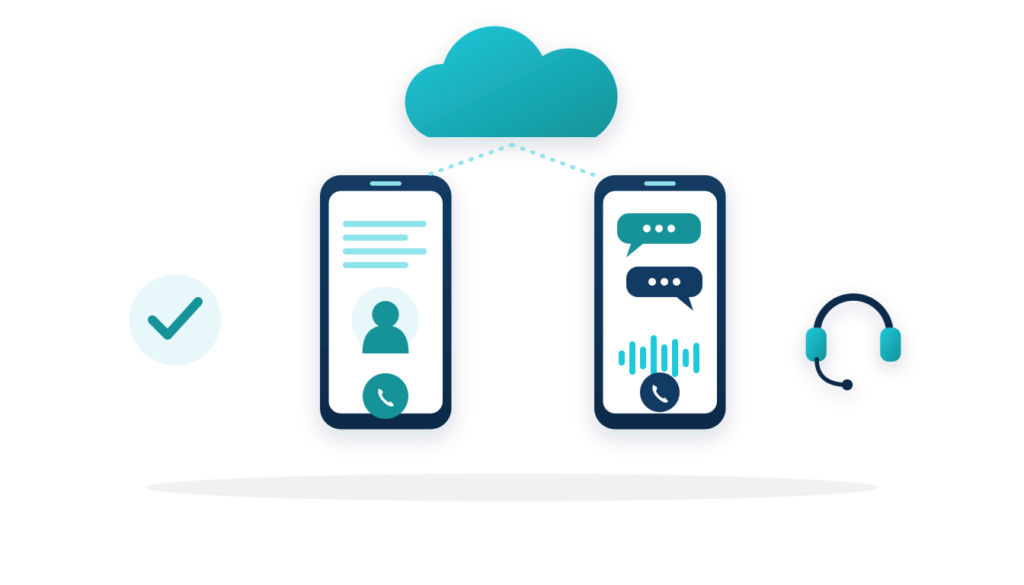
The best VoIP app turns the phone already in your pocket into a full business phone line. A second number, texting, voicemail transcripts, call routing and a team inbox, all running over Wi-Fi or data without a second SIM or a desk phone.
I’ve ranked the best VoIP apps for business in 2026 for iPhone and Android. These are the apps I’d look at if you want a virtual phone number app that keeps work calls separate from personal calls and still looks professional to customers. Every price below comes from the provider’s official pricing page, checked on November 17, 2026.
Here’s where I’m coming from. I’ve been selling online since 2005, and my high-ticket stores had the phone number on every page because buyers spending thousands want to talk first. I’ve lived in Bali since about 2019 and I run my US business number from here on the Quo app, with Quo’s AI agent answering when I can’t. So Quo is the one app on this list I use every day. The rest are research-based, built from official pricing pages and product docs, the way our editorial standards lay out.
The best VoIP apps at a glance
| Rank | App | Best for | Starting price (as of November 2026) |
|---|---|---|---|
| 1 | Quo | Best overall business VoIP app for small teams | $15 per user per month annually, $19 monthly |
| 2 | Dialpad | AI transcripts and call summaries on mobile | $15 per user per month annually, $27 monthly |
| 3 | RingCentral | Growing teams that want calls, meetings and chat in one app | $20 per user per month annually, $30 monthly |
| 4 | Google Voice | Solo owners and Google Workspace users on a budget | $10 per user per month on Starter |
| 5 | Grasshopper | Solo owners who want a second number on their cell | From $14 per month billed annually |
| 6 | Talkroute | Small teams that want one flat price | $19 per month with 1 user included |
| 7 | Aircall | Sales and support teams working in a CRM | $30 per license per month annually, 3-license minimum |
| 8 | Unitel Voice | The cheapest virtual number app with an auto attendant | $9.99 per month or $84 per year |
What a business VoIP app actually does
A VoIP app makes and receives calls over the internet instead of your carrier’s voice network. You install it on your iPhone or Android phone, sign in, and you get a separate business number that rings inside the app. Most also run on your laptop and in a web browser, so the same number follows you from device to device.
Here’s what you get with a good one:
- A second number: local, toll-free or ported from your old carrier, separate from your personal number.
- Calling and texting: business SMS and MMS from the app, so customers never see your personal cell.
- Voicemail transcripts: read voicemails like texts.
- Call routing: business hours, auto attendants, ring groups and forwarding.
- Team features: shared numbers, shared inboxes and call transfers.
- AI: call transcripts, summaries and in some cases an AI agent that answers for you.
Quo’s FAQ puts the key point simply. The app doesn’t use your phone plan’s minutes. It uses your internet connection over Wi-Fi or data. That’s exactly why it works for me from Bali.
If any of this is new, my guide to business VoIP for beginners covers the basics. My explainer on what a VoIP number is shows how the numbers work.
How I ranked these apps
I weighed 6 things:
- Mobile experience: does the provider support both iOS and Android, plus desktop and web?
- Texting: two-way business SMS and MMS, and how the provider handles carrier registration.
- Price for 1 to 10 users: the real monthly bill, not a teaser price.
- Team features: shared numbers, ring groups, transfers and phone menus.
- AI: transcripts, summaries and AI answering.
- Honesty about limits: minimums, credits, add-ons and contract terms.
The 8 best VoIP apps in 2026
1. Quo: best overall business VoIP app
Who it’s for: solo owners and small teams who want a clean business phone app with calling, texting, shared inboxes and an AI agent.
What it costs: the Quo plans are Starter at $15 per user per month billed annually or $19 monthly, Business at $23 annually or $33 monthly, and Scale at $35 annually or $47 monthly. Every plan includes one new or ported number per user, local or toll-free.
Strengths: Quo works on iOS, Android and desktop. Every plan includes calling and messaging to US and Canadian numbers, voicemail transcripts, the Quo API, and Quo’s Sona AI agent, which uses credits for calls. Business adds AI call summaries and transcripts, group calling, custom ring orders, call transfers, phone menus, auto call recording, and HubSpot and Salesforce integrations.
Drawbacks: Sona’s calls run on credits, so heavy AI answering costs extra. Starter skips phone menus and auto recording. And Quo is built for small teams, not call centers.
My take: this is the app I actually use. My US number rings on my phone in Bali, texts land in the same inbox, and Sona picks up when I’m busy or asleep. People who need me directly know to WhatsApp me. If you want a business number on your phone that just works, start with Quo. My full Quo review has the details.
Put a real business line on your phone today
Quo includes a local or toll-free number, US and Canada calling and texting, and its Sona AI agent from $15 per user per month billed annually.
2. Dialpad: best for AI on every call
Who it’s for: small and growing teams that want live transcripts and call summaries inside the app.
What it costs: the Dialpad Connect plans are Standard at $15 per user per month billed annually or $27 monthly, and Pro at $25 annually or $35 monthly. Enterprise is quote-based. Dialpad offers a 14-day free trial of Connect.
Strengths: Dialpad says it runs on desktops, laptops, smartphones (iOS and Android), tablets and desk phones. Standard includes unlimited calls, AI-powered meetings, built-in messaging, and real-time transcripts with instant call summaries. Pro adds CRM integrations, 24/7 support and multi-office management. Dialpad also supports international local numbers in over 50 countries.
Drawbacks: the jump from $15 annual to $27 monthly on Standard is big, so annual billing matters. CRM integrations sit on Pro. And if you need a full contact center, that’s a separate Dialpad product.
My take: if AI notes on every call matter to you, Dialpad is the strongest pick. Read my Dialpad vs RingCentral comparison for a head-to-head.
3. RingCentral: best all-in-one app for growing teams
Who it’s for: teams of 10 or more that want calls, video meetings and team chat in one app across every device.
What it costs: on the RingCentral pricing page, RingEX Core is $20 per user per month paid annually or $30 monthly, Advanced is $25 or $35, and Ultra is $35 or $45. Those prices are for the 1 to 5 user band shown on the page.
Strengths: RingCentral says its app works on Windows, macOS, Android and iOS. Core includes unlimited domestic calling, on-demand call recording, 100 toll-free minutes, 25 SMS per user per month, HD meetings for up to 300 participants and its AI Virtual Assistant.
Drawbacks: 25 texts per user per month on Core is tight for teams that text customers. The AI Receptionist is an add-on. The app does a lot, which also makes it busier than simpler apps.
My take: the safe pick for companies that will keep growing. No affiliate program with me, so that’s a plain link. My RingCentral review goes deeper.
4. Google Voice: best budget pick for Google users
Who it’s for: solo owners and small teams that already live in Gmail and Google Calendar.
What it costs: on the Google Voice product page, a Voice Only Starter plan is $10 per user per month for one user in the US. With a Google Workspace plan, Starter is $10 per user per month for up to 10 users, Standard is $20 and Premier is $30. Google also mentions a basic plan at no cost.
Strengths: one number across all your devices, unlimited domestic calling and US texting on Starter, voicemail transcription, three-way calling, call transfers and call recording. Standard adds auto attendants, ring groups with call queuing and SIP Link for existing numbers. Voicemails and texts can land in Gmail. Google’s Google Voice setup guide walks you through installing it on Android.
Drawbacks: the paid business plans are tied to Google Workspace beyond the single-user Voice Only option. Integrations outside Google are thin, and there’s no built-in AI agent.
My take: great value if you’re already a Google shop. Google Voice has no affiliate program. My guide to Google Voice for business covers the catches.
5. Grasshopper: best for a second number on your cell
Who it’s for: solo owners and tiny teams who want a business number that rings their existing cell phone, with almost no setup.
What it costs: Grasshopper lists pricing starting at $14 per month billed annually, with annual savings of over 20% and a 7-day free trial with no credit card required. Its plan table didn’t load in my check, so confirm plan details on Grasshopper’s site.
Strengths: Grasshopper lets you call and text using iOS, Android or desktop. You can pick a local, toll-free or vanity number, or port your existing one. You get custom greetings and business texting.
Drawbacks: it’s a virtual phone system built around forwarding, not a full team VoIP platform. No CRM integrations or AI agent to speak of.
My take: simple and proven for a one-person business. See my Grasshopper review.
6. Talkroute: best flat-price app for small teams
Who it’s for: small businesses that want a toll-free or local number, unlimited minutes and texting at a flat monthly price.
What it costs: the Talkroute plans are Basic at $19 per month with 1 user, Plus at $39 per month with 3 users, and Pro at $59 per month with 10 users, plus $5 per additional user.
Strengths: Talkroute includes desktop, mobile and web apps on every plan, unlimited calling, call forwarding and routing, video meetings and the Talkroute API. Texting runs 500 messages a month on Basic, 2,000 on Plus and 5,000 on Pro. Talkroute lists unlimited US and Canada minutes for local and toll-free numbers.
Drawbacks: phone menus start on Plus and call recording on Pro. The AI receptionist is a separate paid product.
My take: if you want a simple team phone app at a flat price, Talkroute’s Plus plan is a strong deal for 3 people.
7. Aircall: best app for sales and support teams
Who it’s for: teams of 3 or more who sell or support customers by phone and live inside HubSpot, Salesforce, Zendesk or Shopify.
What it costs: Aircall is $30 per license per month on Essentials and $50 on Professional, shown on annual billing, with a 3-license minimum.
Strengths: Aircall lists a softphone for desktop, Android and iOS. Essentials includes unlimited calls within the US and Canada, SMS and MMS, a shared inbox, recordings with AI transcripts, IVR and 250+ integrations. Professional adds a power dialer, queue callback, whisper and barge.
Drawbacks: the 3-license minimum makes it pricey for a solo user. It’s a team tool, not a personal second-number app.
My take: the right app when your phone team needs CRM sync. My best call center software guide compares it with bigger platforms.
8. Unitel Voice: cheapest virtual number app with an auto attendant
Who it’s for: solo owners who want a toll-free or local number with a professional greeting for under $10 a month.
What it costs: the Unitel Voice plans are Solo at $9.99 per month or $84 billed yearly, Team at $19.99 per month or $168 yearly, and Office at $29.99 per month or $252 yearly with 3 users included.
Strengths: every plan includes 1 toll-free or local number, unlimited calling and texting, an auto attendant with custom greetings, voicemail transcription, and a mobile app plus desktop softphone. Unitel offers free professional recordings and a 30-day money-back guarantee.
Drawbacks: texting requires carrier registration, and Unitel lists carrier fees of $19.50 one-time plus $1.50 per month. No AI features or CRM integrations.
My take: the cheapest app here that still sounds like a real company when customers call.
VoIP app comparison
| App | iOS and Android | Starting price (as of November 2026) | AI features | Free trial |
|---|---|---|---|---|
| Quo | Yes, plus desktop | $15 per user per month annually | Sona AI agent on every plan | Yes |
| Dialpad | Yes, plus desktop and tablets | $15 per user per month annually | Real-time transcripts and summaries | 14 days |
| RingCentral | Yes, plus Windows and macOS | $20 per user per month annually | AI Virtual Assistant, Receptionist add-on | Yes |
| Google Voice | Yes | $10 per user per month | Voicemail transcription | Basic plan at no cost |
| Grasshopper | Yes, plus desktop | From $14 per month annually | Not a focus | 7 days |
| Talkroute | Yes, plus desktop and web | $19 per month for 1 user | AI receptionist sold separately | Yes |
| Aircall | Yes, plus desktop | $30 per license per month annually | AI transcripts, summaries on Professional | Yes |
| Unitel Voice | Mobile app and desktop softphone | $9.99 per month | No | 30-day money-back guarantee |
Things to check before you pick a VoIP app
Texting registration
If you’ll text customers from a local number, US carriers require 10DLC registration through The Campaign Registry, usually handled by your provider. Toll-free numbers go through a separate toll-free verification process instead. Unregistered business texting can get filtered or blocked, so start registration on day one. Ask the provider what it charges. Unitel, for example, lists carrier fees for texting registration, while Talkroute says it charges no fee for toll-free registration.
911 on a VoIP app
This one matters. The FCC’s VoIP and 911 guide says interconnected VoIP providers must provide 911 as a standard feature, get your physical location before activation, and give you an easy way to update it. It also warns that VoIP service may not work during a power or internet outage. On a mobile VoIP app, update your registered address whenever you move, and keep your regular cell plan for emergencies. Confirm with your provider how 911 works in its app for your location.
Call recording consent
Most of these apps can record calls. Consent rules vary by state and country, and some require every party to agree. Play a short notice or announce it at the start of the call.
Using the app abroad
I use my US number from Bali every day, so I know it can work well. But each provider has its own terms on international use and international calling rates. Check those before you move or travel long term, and test call quality on the Wi-Fi you’ll actually use.
Porting your existing number
Most of these apps let you port in your current business number. Don’t cancel your old service until the port completes. My guide to virtual phone numbers for business walks through it.
Best free VoIP apps (and the catch)
People search for free VoIP apps a lot. Here’s the honest version. Google mentions a basic Google Voice plan at no cost, and some apps offer free trials. But a business line that customers rely on is worth paying for. Paid plans give you support, proper texting registration, call routing and number porting.
If budget is tight, Unitel Voice at $9.99 a month or Google Voice Starter at $10 a month are the cheapest paid options on this list. For more cheap options, see my list of cheap VoIP services.
What I’d pick
If you’re a solo owner or a small team, I’d go with Quo. It’s what I use to run my US line from Bali, it handles calls and texts in one clean app, and Sona answers when I can’t. I still give people who want me directly my WhatsApp, which works fine alongside it.
If you want AI notes on every call, go with Dialpad. If you’re a Google Workspace shop on a budget, Google Voice is hard to beat on price. And if your team sells by phone, which was the whole game on the high-ticket stores I built and now teach through Ecommerce Paradise, look at Aircall.
FAQ
What is the best VoIP app for small business?
For most small businesses, Quo is the best all-around VoIP app in 2026. It works on iOS, Android and desktop, includes a local or toll-free number per user, and starts at $15 per user per month billed annually. Dialpad is the better pick if you want real-time AI transcripts on every call.
What is the best virtual phone number app?
For a second business number on your cell, Quo, Grasshopper and Google Voice are the strongest picks. Quo is best for teams and texting, Grasshopper is simplest for a solo owner, and Google Voice is cheapest for Google Workspace users at $10 per user per month on Starter.
Do VoIP apps use my cell phone minutes?
Generally no. A VoIP app sends calls over the internet using Wi-Fi or mobile data instead of your carrier’s voice minutes. Quo, for example, says its app uses your internet connection and not your phone plan’s minutes. You’ll still use mobile data when you’re off Wi-Fi.
Can I call 911 from a VoIP app?
Interconnected VoIP providers must offer 911, but it depends on the registered address you give the provider and on having power and an internet connection. Keep your registered location current, and use your regular cell service for emergencies when you can. Confirm the details with your provider.
Is there a completely free VoIP app for business?
Google mentions a basic Google Voice plan at no cost, and many apps offer free trials. For a real business line with support, texting registration and call routing, expect to pay roughly $10 to $20 per user per month for the entry plans on this list.
Can I keep my existing number in a VoIP app?
Yes, most business VoIP apps support number porting, including Quo, Grasshopper and Unitel Voice. Keep your old service active until the port completes.
Related guides
- Quo review
- OpenPhone (Quo) alternatives
- Google Voice for business
- Best virtual phone systems
- Best VoIP for small business

Trevor Fenner publishes VoIP Paradise, covering business phone software, remote-team communications and practical calling workflows. Articles distinguish documented research from direct testing.