
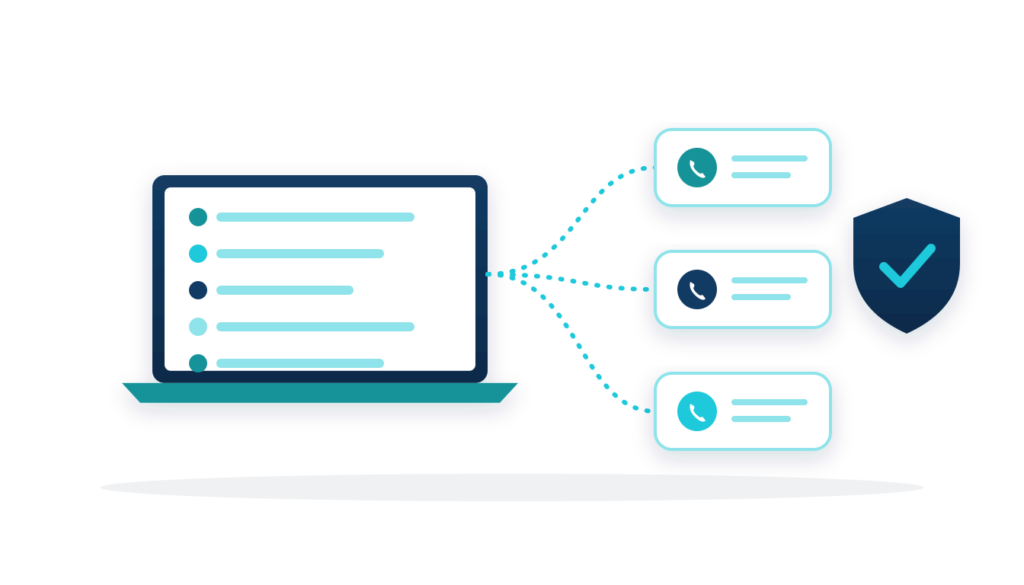
The best auto dialer can double or triple the number of real conversations a rep has in a day. No more typing numbers, waiting through rings and leaving the same voicemail 40 times. The software dials, skips the dead ends, drops your voicemail and logs everything to your CRM while you focus on the person who actually picks up.
But here’s the part most “best auto dialer” lists skip. Outbound calling is one of the most regulated things a small business can do in the US. Pick the right tool and use it the wrong way, and one bad campaign can cost far more than the software. So this guide covers both. The best auto dialers in 2026, including the top picks for real estate agents, and the TCPA and Do Not Call rules you need to follow.
Every price below comes from each provider’s official pricing page, checked on November 17, 2026. I’ve been selling online since 2005 and phone sales were a big part of the high-ticket stores I ran, but those were mostly inbound calls from buyers. I have not run outbound dialing campaigns on Kixie, Mojo, REDX, PhoneBurner, Aircall, Dialpad or Orum myself. So this list is research-based, built from official pricing pages, product docs and the federal rules, the way our editorial standards explain.
The best auto dialers at a glance
| Rank | Dialer | Best for | Starting price (as of November 2026) |
|---|---|---|---|
| 1 | Kixie | Best overall for small sales teams that live in a CRM | Pricing through Kixie, 7-day free trial |
| 2 | Mojo Dialer | Real estate agents on a budget | $99 per month for 1 agent with a single-line dialer |
| 3 | REDX | Real estate agents who want leads and a dialer in one bundle | $299 per month for Connect with a single-line dialer |
| 4 | PhoneBurner | One-to-one power dialing for sales reps | $140 per user per month annually, $165 monthly |
| 5 | Dialpad Sell | Sales teams that want AI coaching with the dialer | $39 per user per month annually, $49 monthly |
| 6 | Aircall | Teams that need a power dialer inside a full phone system | $50 per license per month annually on Professional |
| 7 | Orum | Larger SDR teams that want an AI parallel dialer | Quote-based, 9-seat minimum |
Types of auto dialers, explained
“Auto dialer” is a catch-all term. The type matters for both productivity and compliance.
- Click-to-call: you click a number in your CRM and the software dials it. Fastest to set up, least automation.
- Preview dialer: the system shows you the next contact’s details, then dials when you’re ready.
- Power dialer: dials the next number on your list automatically, one at a time, as soon as you finish a call. Single-line dialers like Mojo’s Single Line Dialer work this way.
- Multi-line or parallel dialer: dials several numbers at once and connects you to whoever answers first. Kixie dials up to 4 lines, and Mojo and REDX advertise triple-line dialers.
- Predictive dialer: uses an algorithm to dial ahead of available agents based on expected answer rates. Common in large call centers.
Here’s why this matters. The more lines you dial at once, the more likely someone answers when no rep is free. Under federal rules, those can count as abandoned calls. I’ll cover that in the compliance section.
If you’re newer to internet calling in general, my guide to business VoIP for beginners is a good starting point.
How I ranked these dialers
- Dialing power: single-line, multi-line or parallel, and how much admin it removes.
- CRM fit: native sync with HubSpot, Salesforce, Pipedrive or real estate CRMs.
- Compliance tools: DNC scrubbing, calling-hour controls, consent tracking and abandonment controls.
- Caller ID health: local presence, number reputation and spam-flag monitoring.
- Real price: per-user cost plus required add-ons, data, minimums and contracts.
The 7 best auto dialers in 2026
1. Kixie: best overall auto dialer for small sales teams
Who it’s for: inside sales teams, ecommerce brands and agencies that live in HubSpot, Salesforce, Zoho or Pipedrive and want a dialer plus a full business phone.
What it costs: the Kixie plans are Professional, Single-Line PowerDialer and Multi-Line PowerDialer. Kixie didn’t show prices on its plans page when I checked, so you’ll get pricing through the 7-day free trial or a demo. No credit card is required for the trial.
Strengths: every Kixie plan includes business phone service, two-way CRM integration, texting, click-to-call and click-to-text, SMS templates, voicemail drop, live call coaching, IVR, ring groups, call queues and call recording, with unlimited minutes in the US and Canada. Multi-Line PowerDialer dials up to 4 lines at once with calling session management, and AI Human Voice Detection is a premium add-on on that plan. Kixie also sells a DNC compliance add-on and ConnectionBoost for connection quality.
Drawbacks: no public pricing. The DNC add-on, ConnectionBoost and Conversation Intelligence cost extra. Multi-line dialing needs careful abandoned-call management.
My take: if you want an auto dialer that’s also your whole business phone, Kixie is the most complete small-team package here. It’s the one I’d trial first for an ecommerce or agency sales team.
Make more real conversations every day
Kixie dials up to 4 lines at once, syncs every call and text to your CRM, and includes unlimited US and Canada minutes. Try it free for 7 days with no credit card.
2. Mojo Dialer: best auto dialer for real estate agents on a budget
Who it’s for: solo agents and small teams who prospect expireds, FSBOs and their farm area by phone.
What it costs: the Mojo pricing page is a build-your-own menu with no contracts. Every user needs Agent Access at $10 per user per month. The Single Line Dialer is $89 per license and the Triple Line Dialer is $139 per license, both with unlimited minutes. Mojo’s solo agent example comes to $99 a month. Add-ons include Mojo Voice at $30, Call Recording at $25 and Mojo Caller ID at $10. Data is extra, like Expired Property Leads at $50, Neighborhood Search at $49, FSBO at $25 and Skip Tracer at $49.
Strengths: built for real estate prospecting. The Triple Line Dialer dials up to 3 numbers at once, and Mojo says it handles up to 300 calls per hour. Lead Manager handles contacts, notes and activity tracking. Mojo Caller ID adds A-level attestation and Reputation Guard to help with spam tagging. There are mobile apps too.
Drawbacks: the data add-ons stack up fast. A farming setup with expireds and Neighborhood Search is $198 a month in Mojo’s own example. Recording and the built-in voice line cost extra.
My take: the best value for a real estate agent who wants a proven dialer without a big bundle. Mojo has no affiliate program with me.
3. REDX: best for agents who want leads and a dialer together
Who it’s for: real estate agents and teams who want expired, FSBO, FRBO and pre-foreclosure leads bundled with a power dialer.
What it costs: the REDX pricing page lists Core at $199 per month with all 5 lead types but no dialer, Connect at $299 per month with a single-line power dialer and Ad Builder, and Pro at $349 per month with a multi-line power dialer. Extra users are $75 each per month on Core and Connect and $99 on Pro. You can also build your own plan with individual lead types at $60 each per month. The page has a monthly and annual toggle, so confirm the billing term when you sign up.
Strengths: one bill covers leads, skip tracing, homeowner insights, the Vortex lead management system and the dialer. Connect adds voicemail drop, queue and call tracking. Pro’s triple-line dialer calls up to 300 leads an hour according to REDX.
Drawbacks: you’re paying for a lead platform, not just a dialer. If you already have lead sources, it’s expensive. No affiliate program here either.
My take: if you want your leads and your dialer from one place, REDX Connect is the simple choice for a solo agent.
4. PhoneBurner: best power dialer for one-to-one outreach
Who it’s for: sales reps, insurance agents, mortgage brokers and real estate agents who want a single-line power dialer with strong call reputation tools.
What it costs: the PhoneBurner pricing page lists Standard at $140 per user per month billed annually or $165 monthly, Professional at $165 annually or $195 monthly, and Premium at $183 annually or $215 monthly. There’s a free trial and a free team admin account.
Strengths: unlimited power dialing on every plan, a built-in CRM, workflow automation, 1-click voicemails, call transfers and call analytics. Professional adds a browser softphone, Krisp AI noise cancellation, live call monitoring and an open API. Premium adds a PhoneBurner number, inbound routing, call transcription with an AI note-taker and SMS messaging with carrier approval. ARMOR, an add-on, monitors your numbers for spam flags.
Drawbacks: the most expensive per seat of the single-user tools here. ARMOR and Connect Scores cost extra. Texting is only on Premium.
My take: a strong pick if you care more about clean one-to-one conversations than raw dial volume. No affiliate program with me.
5. Dialpad Sell: best for AI coaching on outbound calls
Who it’s for: B2B sales teams that want a dialer with real-time AI coaching and conversation intelligence.
What it costs: the Dialpad Sell plans are Essentials at $39 per user per month billed annually or $49 monthly, Advanced at $59 or $70, and Premium at $79 or $95.
Strengths: Essentials includes unlimited US and Canada minutes, AI transcripts and recaps, PII redaction, coaching teams, CRM integrations and 1-year recording and transcript retrieval. Advanced adds Reach Booster with local presence dialing and voicemail drop, plus Live Coach with real-time assist. Premium adds AI quality management and scorecards.
Drawbacks: local presence and voicemail drop sit on Advanced, not Essentials. If you need multi-line parallel dialing, look at Kixie or Orum instead.
My take: the best value if you want AI to coach every rep on every call. My Dialpad vs RingCentral comparison covers Dialpad’s broader platform.
6. Aircall: best power dialer inside a full phone system
Who it’s for: small sales and support teams that want one phone system for inbound and outbound with a power dialer included.
What it costs: Aircall Professional is $50 per license per month on annual billing, with a 3-license minimum. Essentials at $30 doesn’t include the power dialer.
Strengths: Professional’s Power Dialer imports up to 1,000 numbers and dials them in sequence, with time between calls for notes and tags. You also get outbound call campaigns with automated retries, smart routing, queue callback, whisper and barge, and 250+ integrations.
Drawbacks: it’s a power dialer, not a multi-line parallel dialer. The 3-license minimum makes it pricey for one rep.
My take: the right pick when outbound is part of the job but not the whole job. My best call center software guide compares Aircall with bigger platforms.
7. Orum: best AI parallel dialer for larger SDR teams
Who it’s for: B2B sales development teams with 9 or more reps making high volumes of cold calls.
What it costs: the Orum pricing page lists a 9-seat minimum with pricing on request.
Strengths: Orum’s plan includes an AI dialer with unlimited dials, a power dialer and a parallel dialer, AI detection, data enrichment, voicemail drop and a voicemail sequencer, AI call summaries, live listen and international calling. AI coaching with roleplay agents and scorecards is an add-on.
Drawbacks: the 9-seat minimum and quote-only pricing rule it out for small teams and solo agents. No affiliate program here.
My take: powerful, but only once you have a real SDR team.
Price comparison
| Dialer | Lowest listed price | Multi-line dialing | Contract or minimum |
|---|---|---|---|
| Kixie | Not shown on plans page | Up to 4 lines on Multi-Line | 7-day free trial, no card |
| Mojo Dialer | $99 per month for 1 agent | Triple Line Dialer at $139 per license | No contracts |
| REDX | $299 per month for Connect | Multi-line on Pro at $349 | Monthly and annual options |
| PhoneBurner | $140 per user per month annually | Single-line power dialing | Annual or monthly |
| Dialpad Sell | $39 per user per month annually | Power dialing | Annual or monthly |
| Aircall | $50 per license per month annually | Power Dialer up to 1,000 numbers | 3 licenses |
| Orum | Quote | Parallel dialer included | 9 seats |
Auto dialer rules you have to follow
I’m not a lawyer, and this isn’t legal advice. But you need to know the basics before you load a single list. Federal rules apply no matter which tool you pick, and some states have their own telemarketing laws on top. Talk to a lawyer who handles TCPA work before you start outbound campaigns.
Consent for autodialed and prerecorded calls
The FCC’s TCPA rules live in 47 CFR 64.1200. Two parts matter most for dialers:
- Calls to cell phones: calls that use an autodialer or an artificial or prerecorded voice need prior express consent. If the call includes an advertisement or is telemarketing, the rule requires prior express written consent.
- Prerecorded messages to residential lines: a telemarketing call that uses an artificial or prerecorded voice to deliver a message needs prior express written consent.
That second point is why voicemail drop deserves a careful look. A prerecorded voicemail on a sales call is the kind of thing these rules cover, so get legal advice on how you use it.
What counts as an autodialer
In Facebook v. Duguid, the Supreme Court held in 2021 that to qualify as an “automatic telephone dialing system” under the TCPA, a device must be able to store or produce phone numbers using a random or sequential number generator. That narrowed the definition. But don’t read it as a free pass. The prerecorded and artificial voice rules still apply, the Do Not Call rules still apply, and some states define autodialers more broadly.
AI voices are artificial voices
In February 2024, an FCC declaratory ruling confirmed that the TCPA’s restrictions on artificial or prerecorded voice cover AI technologies that generate human voices. If a dialer offers AI voice agents for outbound calls, those calls need the same consent as a robocall.
Do Not Call, calling hours and abandoned calls
- National Do Not Call Registry: telephone solicitations to residential numbers on the registry are prohibited unless an exemption applies. Under the FCC rule, your process must use a version of the registry obtained no more than 31 days before the call. Sellers and telemarketers access the list through the FTC’s telemarketer registry site.
- Calling hours: no telephone solicitations to residential subscribers before 8 a.m. or after 9 p.m. in the called person’s local time.
- Abandoned calls: you can’t abandon more than 3% of telemarketing calls answered live, measured over a 30-day period per campaign. A call counts as abandoned if no live rep connects within 2 seconds of the person’s greeting, and when that happens the rules require a prerecorded identification and opt-out message.
- Ring time: don’t disconnect an unanswered telemarketing call before at least 15 seconds or 4 rings.
That abandoned-call rule is the big one for multi-line dialers. Dialing 3 or 4 lines at once means more answered calls with nobody ready. Make sure your settings and your team size keep you under the limit.
Honoring opt-outs
Under the FCC rules, callers must honor consent revocation requests within a reasonable time, not to exceed 10 business days. In an order adopted on September 30, 2026 (FCC 26-67), the Commission said revoking consent for telemarketing robocalls revokes consent for all of that caller’s future telemarketing robocalls. It also changed its rules to let callers designate an exclusive way for people to revoke consent, and it asked for comment on shortening the 10 business day deadline. Ask your dialer vendor how it records opt-outs across calls and texts, and check when these changes take effect.
Auto dialers for real estate agents: what’s different
Real estate prospecting is where auto dialers get the most use, and the most trouble.
- Expired and FSBO lists are cold calls: a call offering your listing services is generally treated as a telephone solicitation, so Do Not Call rules still apply when the number came from a public listing.
- Most numbers are cell phones: be careful with anything prerecorded or AI-voiced unless you have the right written consent.
- Scrub every list: use your dialer’s DNC tools or an add-on like Kixie’s DNC compliance option, and keep your internal do-not-call list current.
- Watch your caller ID reputation: high-volume calling can get numbers flagged as spam. Mojo’s Caller ID with Reputation Guard and PhoneBurner’s ARMOR add-on exist for exactly this reason.
- Ask your broker: many brokerages have their own calling policies.
If you’re a solo agent, my honest pick is Mojo’s Single Line Dialer at $99 a month total with Agent Access. If you want leads in the same bill, REDX Connect is the one-stop option.
How to choose your auto dialer
Here’s what I’d do, step by step.
1. Decide your volume. Under 100 dials a day, a single-line power dialer is plenty. Over 200 a day with a team, look at multi-line or parallel dialers.
2. Pick for your CRM. If you live in HubSpot or Salesforce, Kixie, Dialpad Sell, Aircall or PhoneBurner will sync cleanly. If you’re a real estate agent without a CRM, Mojo and REDX include lead management.
3. Price the whole stack. Add data, recording, caller ID, DNC scrubbing and extra users before you compare.
4. Set up compliance before you dial. DNC scrubbing, calling-hour limits, consent records, opt-out handling and abandonment settings.
5. Trial it with your real list for a week. Track connects per hour, not dials per hour.
What I’d pick
For a small sales team or an ecommerce brand doing outbound follow-up, I’d start with Kixie. You get a multi-line dialer, texting and a full business phone tied to your CRM in one tool.
For a solo real estate agent, I’d use Mojo’s Single Line Dialer and only add data I’d actually work. For a B2B team that wants every rep coached by AI, Dialpad Sell on Advanced is the sweet spot because it adds local presence and voicemail drop.
And if most of your phone sales come from inbound buyers, like the high-ticket stores I built and now teach through Ecommerce Paradise, you may not need an auto dialer at all. A solid phone system that never misses a call will do more for you.
My list of the best VoIP for small business is the place to start. An AI receptionist can catch the calls you miss.
FAQ
What is the best auto dialer for real estate agents?
For most solo agents, Mojo Dialer is the best value, starting at $99 a month for Agent Access plus the Single Line Dialer with no contracts. Agents who want leads and a dialer in one bill should look at REDX Connect at $299 a month. Teams that live in a general CRM can use Kixie.
Are auto dialers legal?
Yes, auto dialers are legal in the US, but how you use them is regulated. The FCC’s TCPA rules require consent for autodialed or prerecorded calls to cell phones, prior express written consent for prerecorded telemarketing calls, calling hours of 8 a.m. to 9 p.m. local time, Do Not Call registry checks and a 3% cap on abandoned calls. Talk to a lawyer before you run campaigns.
What is the difference between a power dialer and a predictive dialer?
A power dialer calls one number at a time and moves to the next as soon as the rep finishes. A predictive dialer dials ahead of available reps based on expected answer rates, which raises volume but also the risk of abandoned calls. Multi-line dialers sit in between, dialing a few numbers at once per rep.
Can I use voicemail drop for cold calls?
Be careful. A prerecorded voicemail on a telemarketing call is the kind of message the FCC’s TCPA rules cover, and those rules require prior express written consent for prerecorded telemarketing messages to residential lines. Get legal advice before you use voicemail drop on cold calls.
How much does an auto dialer cost?
As of November 2026, entry prices on this list range from $39 per user per month for Dialpad Sell on annual billing to $140 per user per month for PhoneBurner Standard on annual billing. Real estate tools like Mojo start at $99 a month for one agent, and data add-ons cost extra.
Do I need to scrub my list against the Do Not Call Registry?
Yes, for telephone solicitations to residential numbers. Under the FCC rule, your process must use a version of the National Do Not Call Registry obtained no more than 31 days before the call, and you must keep your own internal do-not-call list too.
Related guides
- Best call center software
- Best VoIP providers in 2026
- Best VoIP for small business
- AI receptionist guide
- Cloud phone systems explained

Trevor Fenner publishes VoIP Paradise, covering business phone software, remote-team communications and practical calling workflows. Articles distinguish documented research from direct testing.