
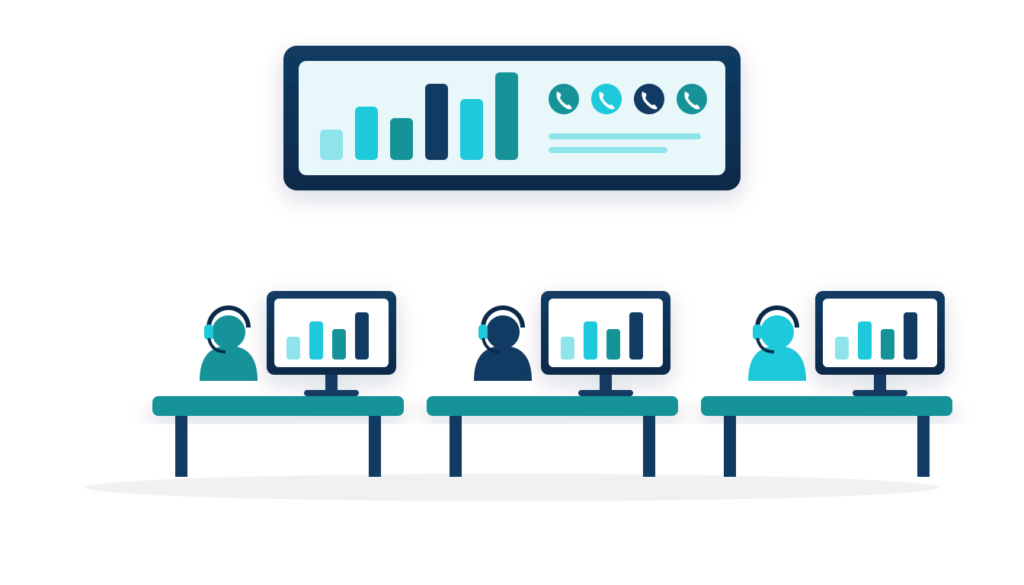
Call center software decides how fast a customer gets a real answer. Pick the right one and calls route to the right person, agents see the customer’s history before they say hello, and managers can actually coach. Pick the wrong one and you pay $150 a seat for features nobody uses while customers sit in a queue listening to hold music.
I’ve ranked the best call center software in 2026 for small and mid-size teams. That means support desks with 5 to 200 agents, inside sales floors, and growing ecommerce brands where the phone is a real sales channel. Every price below comes from the provider’s own pricing page, checked on November 17, 2026.
Quick honesty check before we get into it. I’ve been selling online since 2005 and ran high-ticket stores where the phone number sat on every page and phone orders were a big share of revenue. That taught me how much a missed call costs. But I have not run a full contact center on Dialpad, RingCentral, Nextiva, Aircall, Talkdesk, Five9, CloudTalk or Kixie myself. This list is research-based, built from official pricing pages, product docs and the rules regulators publish, the way our editorial standards describe.
The best call center software at a glance
| Rank | Software | Best for | Starting price (as of November 2026) |
|---|---|---|---|
| 1 | Dialpad Support | Best overall AI contact center for small and mid-size teams | $89 per user per month annually, $109 monthly |
| 2 | RingCentral RingCX | Lowest list price for a full omnichannel contact center | $65 per user per month annually, $75 monthly |
| 3 | Nextiva Contact Center | Teams that want contact center, CRM and phones from one vendor | From $75 per agent per month |
| 4 | Aircall | Small sales and support teams that live inside a CRM | $30 per license per month annually, 3-license minimum |
| 5 | Talkdesk | Industry-specific contact centers and digital-first support | $85 per user per month for Digital Essentials |
| 6 | Five9 | Large, high-volume centers with 50+ seats | $119 per seat per month, 50-seat minimum |
| 7 | CloudTalk | Budget call centers with global calling needs | From €25 per user per month annually |
| 8 | Kixie | Outbound sales teams that need a multi-line power dialer | Pricing through Kixie, 7-day free trial |
What call center software actually is
Call center software is a cloud phone system built for queues of customers, not just a team of people with extensions. A normal business phone system gives each person a number, voicemail and maybe an auto attendant. Call center software adds the layer on top that handles volume.
That layer usually includes:
- ACD (automatic call distribution) that sends each call to the next free agent or the best-skilled agent.
- IVR menus so callers can pick a department or self-serve simple questions.
- Queues with callback, so customers can hang up and keep their place in line.
- Supervisor tools like listen, whisper and barge, plus wallboards with live queue stats.
- Outbound dialers (preview, power, progressive or predictive) for sales and collections.
- Omnichannel routing, so chat, email, SMS and social messages land in the same agent workspace.
- AI transcripts, call summaries, sentiment and quality scoring.
- Workforce management for forecasting and scheduling on the bigger plans.
Most of these tools now call themselves cloud contact center software or CCaaS (contact center as a service). It’s the same idea. Everything runs in the browser or a desktop app over the internet, so agents can work from an office, from home or from another country. If the basics of internet calling are new to you, start with my guide to business VoIP for beginners first, then come back here.
Do you actually need call center software?
Here’s the thing a lot of vendors won’t tell you. If you have 2 to 10 people answering phones, you probably don’t need a $100 per seat contact center. A good business phone system with ring groups, an auto attendant and call recording covers most small teams.
When I ran high-ticket stores, a buyer looking at a $3,000 product wanted one thing. A knowledgeable human who picked up fast. We didn’t need workforce management or AI quality scoring. We needed the call to ring on the right phones and the number to show up on every page.
You need real call center software when you see these signs:
- Calls regularly wait in a queue because all agents are busy.
- You have separate teams (sales, support, billing) that need different routing rules.
- A manager needs live stats and the ability to coach agents during calls.
- You run outbound campaigns with hundreds of dials per rep per day.
- You need to prove service levels to a client or your leadership.
- Customers reach you on chat, email and text as well as the phone, and you want one queue.
If that’s not you yet, look at my list of the best VoIP for small business instead. And if your problem is just missed calls after hours, an AI receptionist may fix it for a fraction of the cost.
How I ranked these platforms
I weighed 7 things, in roughly this order:
- Price transparency: is the price on the website, and what’s the real bill after minimums and add-ons?
- Core routing: ACD, skills-based routing, IVR and queue callback on the entry plan.
- Supervisor tools: monitoring, whisper, barge and live dashboards.
- AI: transcripts, summaries, agent assist and quality management, and whether it costs extra.
- Outbound: power and predictive dialing, plus compliance controls for telemarketing rules.
- Integrations: native CRM and helpdesk connections like Salesforce, HubSpot and Zendesk.
- Fit for small and mid-size teams: minimum seat counts and contract terms.
The 8 best call center software platforms in 2026
1. Dialpad Support: best overall AI contact center
Who it’s for: support teams of 5 to a few hundred agents that want AI built into every call without stitching tools together.
What it costs: the Dialpad Support plans are Essentials at $89 per user per month billed annually or $109 monthly, Advanced at $119 annually or $145 monthly, and Premium at $149 per user per month. Dialpad’s FAQ says Premium is sold on annual plans only. Essentials is the plan with a free trial button.
Strengths: the entry plan is unusually complete. Essentials includes omnichannel routing for voice and digital, a power dialer, AI transcripts and recaps, PII redaction, sentiment, contact center analytics, advanced routing, screen recording, and Reach Booster with local presence dialing and voicemail drop. Advanced adds Live Coach for real-time agent guidance plus a full quality management suite with AI CSAT and scorecards. Premium adds workforce management with forecasting, scheduling and adherence. Supervisors get Listen In, Barge In and Take Over for live coaching.
Drawbacks: $89 is a real jump from a normal phone plan. AI agents for full self-service are sold separately with custom, conversation-based pricing. And if you also want the regular Dialpad business phone for the rest of the company, that’s a separate plan.
My take: for most growing support teams, Dialpad gives you the most AI per dollar on the entry tier. If you want a contact center with AI on every call from day one, start the Dialpad trial and run a week of real calls through it. My Dialpad vs RingCentral comparison goes deeper on the two.
Run your call center with AI on every call
Dialpad Support Essentials includes omnichannel routing, a power dialer, AI transcripts and sentiment from $89 per user per month billed annually.
2. RingCentral RingCX: lowest list price for a full omnichannel contact center
Who it’s for: companies that want a full contact center at a lower seat price, especially if they already use RingCentral RingEX for the rest of the business.
What it costs: the RingCX pricing page lists Standard at $65 per user per month paid annually or $75 monthly, Professional at $95 annually or $110 monthly, and Elite at $145 annually or $165 monthly. RingCentral says you save up to 13% by paying annually. An enterprise contact center tier is sold through sales.
Strengths: Standard covers voice and 20+ digital channels, ACD, IVR, skills-based routing and agent screen recording. Professional adds AI Quality Management and AI Agent Assist. Elite adds AI Supervisor Assist, AI Interaction Analytics and AI workforce management. RingCX and RingEX run in one app, so front-office agents and back-office staff share a directory and messaging.
Drawbacks: the AI Receptionist is an add-on on every RingCX plan. RingCentral is a big platform, so expect admin setup time. And the best value assumes you’re buying into the wider RingCentral stack.
My take: on list price, RingCX is the cheapest true omnichannel contact center here. RingCentral has no affiliate program with me, so that link goes straight to its pricing page. My RingCentral review covers the phone side.
3. Nextiva Contact Center: best all-in-one with CRM
Who it’s for: businesses that want phones, a contact center, a basic CRM and AI from one vendor and one bill.
What it costs: the Nextiva contact center plans start from $75 per agent per month on Essential. Professional and Premium are quote-based. On the business phone side, NEXT Scale is $75 per user per month and adds supervisor monitoring, unlimited texting and 10,000 toll-free inbound minutes. Nextiva’s XBert AI employee starts at $99 per month, with packages from 100 conversations a month.
Strengths: Essential includes omnichannel capabilities, journey orchestration, AI transcription and summaries, skills-based routing, and voice plus web chat. Professional adds advanced self-service, real-time supervisor support, PCI-DSS secure payments and progressive and predictive dialing. Premium adds workforce management, unlimited channels and in-conversation payments. Nextiva says all plans include 24/7 customer support.
Drawbacks: only the entry contact center tier has a public price. Predictive dialing and secure payments sit on the quote-based tiers. And the smaller NEXT plans lean on annual terms for the best rates.
My take: if you want one vendor for phones, contact center and CRM, Nextiva is the cleanest package on this list. Read my Nextiva review before you book the demo.
4. Aircall: best for small sales and support teams in a CRM
Who it’s for: teams of 3 to 50 who want call center features like queues, a power dialer and live monitoring without a heavy contact center rollout.
What it costs: the Aircall plans are Essentials at $30 per license per month and Professional at $50 per license per month, shown on annual billing. Aircall says paying annually saves 25%. Both plans need at least 3 licenses, and Enterprise is custom priced with a 25-user minimum. Extra numbers cost $6 each per month. AI Voice Agents start at a $99 per month minimum.
Strengths: Essentials includes unlimited calls within the US and Canada, SMS and MMS, a shared inbox, call recordings with AI transcripts, IVR, basic analytics and 250+ integrations. Professional adds AI call summaries and conversation intelligence, smart routing from CRM data, queue callback, a power dialer that imports up to 1,000 numbers, outbound campaigns, whisper and barge, and full API access. Both plans include 50 minutes of AI Voice Agents per month.
Drawbacks: it’s a phone-first tool, so you won’t get true email and chat routing in the same queue. Workforce management isn’t part of the plans. The 3-license minimum means a solo user pays for 3.
My take: for a small team that sells or supports by phone and lives in HubSpot, Salesforce, Zendesk or Shopify, Aircall is the easiest call center to roll out. It’s what I’d look at first for a high-ticket store with 3 or more phone reps.
Give your phone team queues, a power dialer and CRM sync
Aircall Professional adds smart routing, queue callback, whisper and barge, and a 1,000-number power dialer at $50 per license per month on annual billing.
5. Talkdesk: best for industry-specific contact centers
Who it’s for: mid-size and large support operations in regulated or specialized industries like healthcare, financial services, insurance and retail.
What it costs: the Talkdesk pricing page lists Digital Essentials at $85 per user per month, Voice Essentials at $105, Elite at $165 and Industry Experience Clouds at $225. In the US and Canada, Talkdesk Express targets businesses under 50 employees and includes 25 licenses and $100 in free credit with no contract.
Strengths: Voice Essentials includes speech recognition, voicemail transcription, Studio routing, business intelligence and API access. Elite adds custom reporting, screen recording, performance management and workforce management. The industry clouds package workflows for specific verticals. Talkdesk also sells AI tools like Copilot for agent assist and Autopilot for self-service.
Drawbacks: digital and voice are priced as separate editions, so a blended team can get pricey. Many AI tools are add-ons. And the platform is built for bigger operations than a 5-person desk.
My take: if your industry has specific workflows and compliance needs, Talkdesk is worth a demo. No affiliate program, so that’s a plain link to their pricing.
6. Five9: best for large, high-volume centers
Who it’s for: established contact centers with 50 or more agents, heavy outbound volume, or complex blended inbound and outbound work.
What it costs: the Five9 pricing page lists Digital at $119 per seat per month and Core at $159 per seat per month, with Plus and higher tiers through sales. Five9 says prices are per concurrent user, usage-based pricing may apply, and there’s a minimum of 50 seats.
Strengths: Five9 is one of the long-standing names for large outbound and blended centers. Core covers all channels with essential AI like summaries, live transcription, insights and agent assist. You get geo redundancy, recording and a dialer, plus adapters for CRMs like Salesforce, ServiceNow, Dynamics and Zendesk, and your choice of quality and workforce tools.
Drawbacks: the 50-seat minimum rules it out for most small teams. Concurrent pricing is great for shift-based centers but takes work to forecast. Implementation is a project, not an afternoon.
My take: overkill for a small business, but a serious option once you’re past 50 agents. Again, no affiliate program here.
7. CloudTalk: best budget pick with global calling
Who it’s for: small call centers, BPOs and support teams that call customers in Europe, Latin America or Australia as well as the US.
What it costs: the CloudTalk pricing page lists Starter at €25 per user per month billed annually or €34 monthly, Essential at €29 annually or €39 monthly, and Expert at €49 annually or €69 monthly. Expert requires at least 3 licenses. When I checked, the page showed prices in euros by default, so confirm your USD rate on the page. CloudTalk also says customers billed in the US or Canada pay an 11% compliance and administrative cost recovery fee on the software subscription.
Strengths: Starter and Essential can be bought for a single user. Plans bundle outbound minutes for specific regions, and Expert adds dialers, real-time analytics and Salesforce.
Drawbacks: that 11% fee adds up on a US invoice. Euro pricing makes budgeting less obvious for US buyers. And the cheaper tiers are thin for a true contact center.
My take: a fair budget option, especially for international teams. No affiliate program with me.
8. Kixie: best for outbound sales call centers
Who it’s for: inside sales teams and outbound call centers that make a lot of dials and need everything logged to the CRM.
What it costs: the Kixie plans are Professional, Single-Line PowerDialer and Multi-Line PowerDialer. Kixie did not show prices on its plans page when I checked, so you’ll get pricing through the trial or a demo. There’s a 7-day free trial with no credit card required. ConnectionBoost, Conversation Intelligence and DNC compliance are add-ons.
Strengths: every plan includes business phone service, two-way CRM integration, texting, click-to-call, voicemail drop, live call coaching, an IVR auto attendant, ring groups, call queues and call recording, with unlimited minutes in the US and Canada. The Multi-Line plan power dials up to 4 lines at once with calling session management.
Drawbacks: no public pricing. It’s built for outbound sales, not a support desk. Multi-line dialing also brings real TCPA and abandoned-call rules into play, which I cover below.
My take: if your call center is mostly outbound, Kixie is the sales-first pick on this list. My guide to the best auto dialer compares it against other dialers.
Feature comparison
| Software | Omnichannel on entry plan | Power or predictive dialer | Workforce management | Minimum seats |
|---|---|---|---|---|
| Dialpad Support | Yes, voice and digital | Power Dialer on Essentials | Premium plan | Not stated on pricing page |
| RingCX | Yes, voice and 20+ digital channels | Ask sales for dialer details | Elite plan | Not stated on pricing page |
| Nextiva | Yes, voice and web chat | Progressive and predictive on Professional | Premium plan | Not stated on pricing page |
| Aircall | Voice, SMS and messaging | Power Dialer on Professional | Not included | 3 licenses |
| Talkdesk | Digital and voice sold as separate editions | Ask sales | Elite plan | Not stated on pricing page |
| Five9 | Core plan covers all channels | Dialer included | Choice of WEM tools | 50 seats |
| CloudTalk | Calling and SMS | Dialers on Expert | Not listed | 3 on Expert |
| Kixie | Calling and SMS | Up to 4 lines on Multi-Line | Not included | Not stated on plans page |
What call center software really costs
The sticker price per seat is only part of the bill. Here’s what pushes it up.
- Annual vs monthly: annual billing saves real money. RingCX says up to 13%, Aircall says 25%, and Dialpad’s Essentials drops from $109 to $89 a seat.
- Seat minimums: Aircall wants 3 licenses, CloudTalk Expert 3, Five9 50.
- AI add-ons: AI agents, AI receptionists and quality management are often priced on top. Dialpad prices AI agents per conversation through credits. Nextiva XBert starts at $99 a month.
- Toll-free minutes: inbound toll-free calls usually draw from a minute pool, then cost extra.
- Numbers: extra numbers often cost a few dollars each per month. Aircall charges $6.
- Fees and taxes: CloudTalk adds an 11% fee for US and Canadian billing. Most providers add regulatory fees and taxes on top of the plan.
Quick math for a 10-agent support team on annual billing. Dialpad Support Essentials is 10 x $89 = $890 a month. RingCX Standard is 10 x $65 = $650 a month. Aircall Professional is 10 x $50 = $500 a month, but you give up email and chat routing. That’s why you should price the plan that matches your real workflow, not the cheapest box on the page.
Rules your call center has to follow
This part matters more than any feature list. Get it wrong and fines can dwarf your software bill. I’m not a lawyer, so treat this as a starting point and confirm with counsel for your situation.
Telemarketing and autodialer rules
In the US, the FCC enforces the Telephone Consumer Protection Act through 47 CFR 64.1200. That rule says telemarketing calls that use an autodialer or an artificial or prerecorded voice to wireless numbers need the called party’s prior express written consent. It also bars telephone solicitations to residential subscribers before 8 a.m. or after 9 p.m. in the called party’s local time. And it caps abandoned telemarketing calls at 3% of calls answered live, measured over a 30-day period per campaign, where a call counts as abandoned if no live rep connects within 2 seconds of the person’s greeting.
That 3% rule is why predictive dialers come with abandonment-rate settings. If your center runs outbound sales, make sure your software can cap and report it.
The FTC has its own rule for sales calls. Its guide to complying with the Telemarketing Sales Rule covers the National Do Not Call Registry, required disclosures and recordkeeping. Under the FCC rule, your calling process has to use a version of the national registry obtained no more than 31 days before the call.
AI voices count as artificial voices
If you plan to use AI voice agents for outbound calls, read this twice. In a February 2024 FCC declaratory ruling, the Commission confirmed that the TCPA’s restrictions on artificial or prerecorded voice cover AI technologies that generate human voices. So AI outbound calls need the same consent as a prerecorded robocall.
Call recording consent
Every platform on this list records calls. Recording consent rules vary by state and country, and some places require every party to agree. The simple fix is a short recorded notice at the start of every call. Confirm the rules for each state or country you call.
Card payments over the phone
If agents take card numbers on calls, PCI DSS applies. The PCI Security Standards Council publishes the standards. Look for secure payment features that pause recording or let callers key in card numbers, like Nextiva’s PCI-DSS secure payments on its Professional tier.
How to choose in 4 steps
Here’s exactly what I’d do.
1. Count your agents and your channels. Under 10 agents and phone-only? Start with Aircall or a strong business phone system. 10 or more with chat and email? Look at Dialpad Support, RingCX or Nextiva.
2. Decide inbound vs outbound. Mostly outbound sales means dialer quality and compliance controls come first, so look hard at Kixie, Aircall Professional and the dialers on the bigger platforms.
3. Price your real bill. Multiply seats by the annual price, add AI, numbers, toll-free minutes, fees and taxes. Ask each vendor for a written quote.
4. Run a 2-week pilot with your 3 best agents. Test routing, queue callback, CRM logging and the supervisor view on real calls before you sign anything longer than a month.
What I’d pick
For most small and mid-size support teams in 2026, I’d start with Dialpad Support because the entry plan already has omnichannel routing, a power dialer and AI on every call. If list price is the main thing and you’re already on RingCentral, RingCX Standard at $65 a seat is hard to beat.
I built my career on high-ticket stores where phone sales mattered, and today I teach that model through Ecommerce Paradise. If you’re a small team that sells by phone like that, I’d go with Aircall and grow into Professional when you need the power dialer and queue callback.
And if you’re 1 or 2 people who just need a solid business line with texting, skip call center software entirely and use Quo, which is what I run my own US line on from Bali, with its AI agent answering when I can’t.
FAQ
What is the best call center software for a small business?
For a small team that mostly handles phone calls, Aircall is the easiest to roll out, starting at $30 per license per month on annual billing with a 3-license minimum. If you also handle chat and email in the same queue, Dialpad Support Essentials at $89 per user per month annually gives you omnichannel routing and AI from the first plan.
What is the difference between a call center and a contact center?
A call center handles phone calls only. A contact center handles calls plus other channels like chat, email, SMS and social messages in one queue. Most cloud call center software in 2026 is really contact center software, but entry plans often cover fewer channels.
How much does cloud contact center software cost?
As of November 2026, public prices on this list run from about $30 per license per month for Aircall Essentials to $225 per user per month for Talkdesk’s industry clouds. Full omnichannel contact centers usually start between $65 and $119 per seat per month. Add AI, numbers, minutes, fees and taxes to get the real bill.
Is a predictive dialer legal?
Predictive dialers are legal in the US, but telemarketing calls that use one must follow the FCC’s TCPA rules. That includes prior express written consent for autodialed telemarketing calls to wireless numbers, the 3% abandoned call cap over 30 days, calling hours of 8 a.m. to 9 p.m. local time, and Do Not Call registry checks. Talk to a lawyer before you run outbound campaigns.
Can call center agents work from home?
Yes. All of the platforms on this list are cloud-based, so agents can work from any location with a stable internet connection, a headset and the app or browser. You’ll still want clear rules on call recording, data security and card payments for remote agents.
Do I need call center software or just a VoIP phone system?
If calls rarely wait in a queue and you don’t need supervisor coaching or outbound dialers, a VoIP phone system with ring groups and an auto attendant is enough. Move to call center software once you need queues, skills-based routing, live monitoring or campaign dialing.
Related guides
- Best VoIP providers in 2026
- Dialpad vs RingCentral
- Nextiva review
- Best auto dialer software
- Cloud phone systems explained

Trevor Fenner publishes VoIP Paradise, covering business phone software, remote-team communications and practical calling workflows. Articles distinguish documented research from direct testing.