
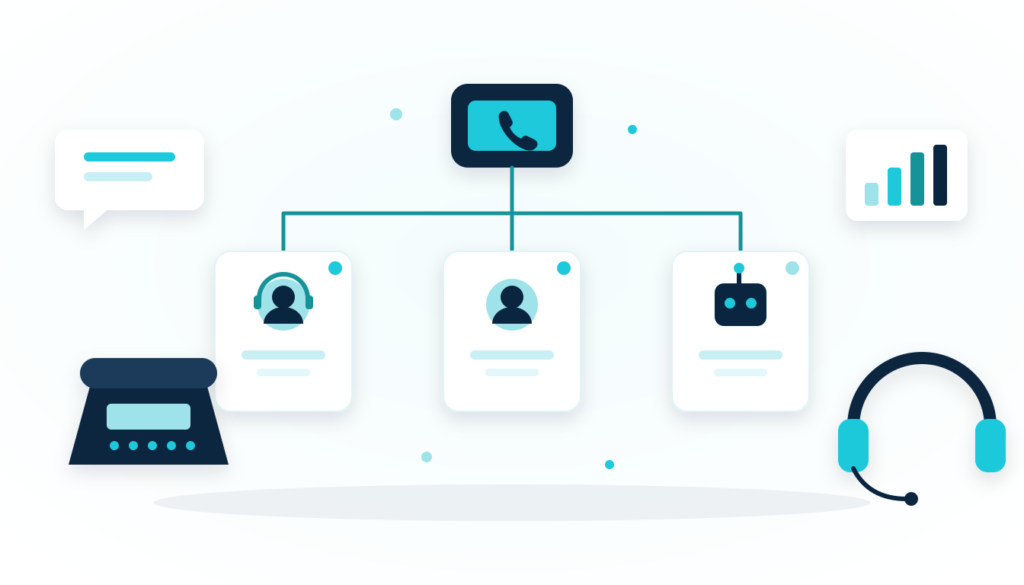
A virtual phone system gives your small business a real phone system without any hardware in the closet. Calls come in over the internet, ring on the apps on your phones and laptops, and get routed to the right person, a voicemail box or an AI agent. In 2026 it’s how most small businesses should run their phones, and the good news is you can get a great one for $15 to $25 per user per month.
I’ve been doing ecommerce since 2005 and running high-ticket dropshipping stores since October 2010. On those stores the phone number was on every page, and phone sales were a big share of revenue. When someone is about to spend $4,000, they want to talk to a person first. So I’ve been thinking about business phone systems for a long time. Today I run my own US business line from Bali on Quo (formerly OpenPhone), with its AI agent answering when I can’t.
Here’s how I built this list. Quo is the one I use myself. Every other pick is research-based, from each provider’s official pricing page, checked on November 3, 2026. I haven’t hands-on tested those for this site, and I say so in each section, per our editorial standards. Prices change often, so always confirm on the official page before you buy.
Quick comparison: best virtual phone systems for small business
| Provider | Best for | Starting price (as of November 2026) | Free trial |
|---|---|---|---|
| Quo | Best overall for small teams | $15 per user per month billed yearly, $19 monthly | 7 days |
| Nextiva | Growing teams that want calls, texts and customer tools together | $15 per user per month on a 12-month term, $23 monthly | Demo through sales |
| RingCentral | Multi-location businesses | $20 per user per month billed annually, $30 monthly | Yes, up to 5 users |
| Dialpad | AI call transcripts and summaries | From $15 per user per month | 14 days |
| Grasshopper | Solo owners who want simple | From $14 a month | 7 days, no card |
| Unitel Voice | Lowest price with an auto attendant | $9.99 a month, or $84 a year | 30 days risk-free |
| Talkroute | Small teams on a flat price | $19 a month for 1 user, $39 for 3 users | Yes |
| Google Voice | Google Workspace users | $10 per user per month | Through Workspace |
| Aircall | Sales and support teams with lots of apps | $30 per license per month billed annually, 3-license minimum | Free access option |
What is a virtual phone system?
A virtual phone system is a cloud-hosted business phone system. Instead of a box of hardware and copper lines, the provider runs everything in their data centers and you connect through apps and, if you want, desk phones. If you’re new to all this, my business VoIP for beginners guide is a good place to start. My explainer on cloud phone systems covers the tech.
Here’s what a good one gives you:
- Business phone numbers (local, toll-free or both)
- Apps for iPhone, Android, Mac and Windows so your number rings anywhere
- Call routing: phone menus, ring groups, business hours, call transfers
- Voicemail with transcription
- Business texting (after carrier registration)
- Call recording, analytics and CRM integrations on higher plans
- More and more, AI: call summaries, transcripts and AI agents that answer for you
If you only need a single number on your cell, read my guide on getting a virtual phone number for business. A virtual phone system is the next step up: built for teams, routing and growth.
The best virtual phone systems for small business in 2026
1. Quo: best overall for small businesses
Who it’s for: solo owners and small teams of up to about 20 people who want calling, texting, a shared inbox and an AI agent in one app that’s easy to use.
What it costs: Starter is $19 per user per month billed monthly, or $15 billed yearly. Business is $33 monthly or $23 yearly. Scale is $47 monthly or $35 yearly. Every user gets 1 local or toll-free number, extra numbers are $5 a month, and there’s a 7-day free trial.
Strengths: calling and texting to US and Canadian numbers are included on every plan under Quo’s fair use policy, and you can make those calls from any country. That’s how I run my US number from Bali. Shared numbers and a team inbox make it feel like a group chat for your business line. Every plan includes 10 calls a month from Sona, Quo’s AI agent, which answers, takes messages, captures leads and can transfer calls. The Business plan adds phone menus, call transfers, ring orders, auto call recording, HubSpot and Salesforce integrations, and AI summaries for every call.
Drawbacks: phone menus and call transfers need the Business plan. Sona is inbound only and only works inside Quo. International calls to non-US numbers cost extra.
Why I picked it first: it’s what I trust with my own business line, and for most small businesses it hits the sweet spot of price, simplicity and features. Try Quo free for 7 days and set up your number, inbox and Sona in an afternoon. More detail in my Quo review.
Get a business phone system you can run from anywhere
Quo starts at $15 per user per month billed yearly, with unlimited US and Canada calling and texting and an AI agent on every plan.
2. Nextiva: best for growing teams that want more customer tools
Who it’s for: small businesses with 5 to 100 people who want phone, texting, shared inboxes and customer service tools in one platform.
What it costs: NEXT Core is $15 per user per month on an annual small business agreement, or $23 month to month. NEXT Engage is $25 annually or $50 monthly. NEXT Scale is $75 per user per month. Nextiva notes that its annual small business pricing applies to new customers with 1 to 100 employees signing a 12-month or longer term. XBert AI is $1.50 per conversation.
Strengths: Core includes unlimited voice and video, 100 business texts per user, shared team and personal inboxes, basic CRM and ticketing, and 50 AI transcriptions and summaries. Engage adds live chat and a chatbot, 500 texts per user, 2,000 toll-free inbound minutes, SSO and virtual fax.
Drawbacks: the best price requires a 12-month commitment, and the month-to-month price is much higher. AI usage beyond the included amounts costs extra per conversation.
This is research-based, not tested by me. If you’re building a small customer service team and want more than just phones, Nextiva is worth a demo because of how much it bundles into Core.
3. RingCentral: best for multi-location businesses
Who it’s for: established small and mid-size businesses, especially with multiple offices or more complex phone needs.
What it costs: RingEX Core is $20 per user per month paid annually, or $30 paid monthly. Advanced is $25 annually or $35 monthly. Ultra is $35 annually or $45 monthly. RingCentral says paying annually saves up to 33%. Its free trial is for new subscribers only and is limited to 5 users and 2 desk phones, and SMS isn’t available during the trial.
Strengths: Core includes unlimited domestic calling, on-demand call recording, 100 toll-free minutes, 25 SMS per user per month, HD meetings for up to 300 participants and an AI virtual assistant. Advanced adds CRM integrations and multi-site support. RingCentral also sells an AI Receptionist as an add-on.
Drawbacks: only 25 texts per user per month on Core, which is low if you text customers a lot. Lots of add-ons. More complex than small teams usually need.
RingCentral doesn’t have an affiliate program with us, and this section is research-based. Check the official RingCentral pricing page for your team size.
4. Dialpad: best for AI transcripts and call summaries
Who it’s for: small teams that want strong AI built into every call, like real-time transcripts and automatic recaps.
What it costs: Dialpad Connect starts at $15 per user per month for Standard and $25 for Pro on its pricing page, with Enterprise on custom pricing. Dialpad notes the price can vary by region and currency, and there’s a toggle for monthly or annual billing, so confirm your exact price. There’s a 14-day free trial.
Strengths: Dialpad says Connect includes real-time call transcription, voicemail transcription, AI Recaps with call summaries and action items, and real-time analytics. Pro adds CRM integrations and 24/7 support. Dialpad supports international local numbers in over 50 countries.
Drawbacks: the cheapest plan doesn’t include the CRM integrations. Bigger AI agent features are sold separately on custom pricing.
Research-based, not tested by me. If AI notes on every call matter to you, Dialpad is a strong pick because transcription and recaps come built in.
5. Grasshopper: best for solo owners who want simple
Who it’s for: solopreneurs who just want a business number with a professional greeting on the phone they already carry.
What it costs: Grasshopper’s pricing page lists True Solo from $14 a month, Solo Plus at $25 and Small Business at $55, and says annual billing saves over 20%. There’s a 7-day free trial with no credit card required.
Strengths: very simple, and Grasshopper says it has served over 400,000 customers.
Drawbacks: it’s built for solo owners and very small teams more than growing teams. Compare features carefully if you plan to hire.
Research-based. I go deeper in my Grasshopper review. For a one-person business that wants zero learning curve, Grasshopper keeps it simple.
6. Unitel Voice: best budget phone system with an auto attendant
Who it’s for: price-conscious owners who want a toll-free or local number with a professional phone menu.
What it costs: Solo is $9.99 a month or $84 billed yearly. Team is $19.99 a month or $168 a year with unlimited users. Office is $29.99 a month or $252 a year with 3 users included and extra users at $7.99 each. Unitel Voice offers a 30-day risk-free trial.
Strengths: unlimited calling and texting, auto attendant with custom greetings and free professional voice recordings. Team adds unlimited extensions, ring groups and live call transfer.
Drawbacks: texting requires carrier registration, which Unitel Voice lists at $19.50 one-time plus $1.50 a month. It feels more like a traditional phone system than a team inbox app.
Research-based. For the lowest monthly cost with a real auto attendant, Unitel Voice is hard to beat.
7. Talkroute: best flat pricing for small teams
Who it’s for: teams of 3 to 10 who want users bundled into one monthly price.
What it costs: Basic is $19 a month with 1 user, 1 number and 500 texts. Plus is $39 a month with 3 users, 2 numbers and 2,000 texts. Pro is $59 a month with 10 users, 3 numbers, 5,000 texts and call recording. Extra users are $5 each.
Strengths: Plus adds a phone menu, extensions, simultaneous ring, live call transfer and hours of operation. Pro adds call recording, reporting and scheduled call forwarding.
Drawbacks: text caps on every plan, and recording only on Pro.
Research-based. If you have 10 people, Talkroute Pro at $59 a month total can be far cheaper than per-user pricing.
8. Google Voice: best if you already use Google Workspace
Who it’s for: businesses already on Google Workspace that want calling inside Gmail and Calendar.
What it costs: Google lists Starter at $10 per user per month (for up to 10 users as a Workspace add-on, or a Voice Only plan for 1 user in the US), Standard at $20 and Premier at $30.
Strengths: works in Gmail, routes calls to voicemail based on your Calendar working hours, blocks spam and transcribes voicemail. Standard adds auto attendants, ring groups and call queuing.
Drawbacks: Starter has no phone menus. Texting and international features are more limited than dedicated tools. More in my Google Voice for business guide.
Google Voice doesn’t have an affiliate program with us. Research-based. See the official Google Voice plans page for current pricing.
9. Aircall: best for sales and support teams with lots of apps
Who it’s for: teams of 3 or more that live in a CRM or help desk and want calls logged automatically.
What it costs: Essentials is $30 per license per month billed annually and Professional is $50, both with a minimum of 3 licenses. Aircall says annual billing saves 25%. Essentials includes 50 minutes of AI Voice Agents per month.
Strengths: over 250 integrations, call recordings and AI transcripts on Essentials, and Professional adds AI call summaries, smart routing, a power dialer and live call monitoring.
Drawbacks: the 3-license minimum puts it at $90 a month or more even for a tiny team.
Research-based. For a team living in HubSpot, Salesforce or a help desk, Aircall is worth a demo because of how deep the integrations go.
How to choose the right virtual phone system
Here’s the simple way I’d think about it.
Start with team size
- Just you: Quo Starter, Grasshopper or Unitel Voice Solo
- 2 to 10 people: Quo Business, Talkroute or Dialpad
- 10 to 100 people: Nextiva, RingCentral or Quo Scale
- Sales or support team in a CRM: Aircall or Dialpad
Decide how much you text
If you text customers a lot, watch the caps. Quo includes unlimited US and Canada texting under fair use. RingCentral Core includes 25 SMS per user per month. Nextiva Core includes 100 per user. Talkroute Basic includes 500. Every provider requires 10DLC carrier registration for business texting from US local numbers, which usually means a one-time fee plus a small monthly fee.
Decide who answers when you can’t
This is the question most people skip. Voicemail is the default, and it loses sales. Look for an AI agent or a live answering option. My AI receptionist guide compares the costs.
Check the boring compliance stuff
Three things to confirm with any provider before you sign:
- 911: internet phone service handles emergency calls differently than a landline. Register your physical address and update it when you move. The FCC’s consumer guide to VoIP explains the basics, and VoIP may not work during a power or internet outage. Confirm 911 details with your provider for your location.
- Number porting: you can usually bring your current number. The FCC guide to keeping your number covers your rights. Don’t cancel your old service until the port is complete.
- Caller ID trust: the FCC requires voice providers to authenticate caller ID to fight spoofed robocalls, explained on the FCC call authentication page. Ask your provider how they help keep your outbound calls from getting flagged as spam.
Mistakes I see small businesses make
Buying for the team you might have in 3 years
Buy for the next 12 months. Every provider here lets you add users later. Paying for enterprise features you won’t use is just burning cash.
Locking into an annual contract before testing
Use the free trial. Make real calls. Test the mobile app on a bad connection. Then commit to annual billing for the discount.
Not putting the number on the website
On my stores, the phone number was in the header of every page. Buyers called. Buyers bought. A great phone system does nothing if customers can’t find the number.
Letting calls go to a dead voicemail
Set up a fallback: a teammate, an AI agent, or an answering service. A ringing phone with nobody behind it costs you money every day.
My pick
For most small businesses in 2026, I’d go with Quo because it’s affordable, easy to set up, includes unlimited US and Canada calling and texting, and comes with an AI agent built in. That’s what I run my own business line on from the other side of the world. If you need deeper customer service tools, look at Nextiva. If you have multiple offices, look at RingCentral.
And if you’re building an online store, I teach the full business model over at Ecommerce Paradise. Put a real phone number on your site and answer it. It’s one of the easiest ways to win more high-ticket sales.
FAQ
What is the best virtual phone system for a small business?
For most small businesses, I recommend Quo. It starts at $15 per user per month billed yearly, includes unlimited US and Canada calling and texting under fair use, and comes with an AI agent on every plan. Nextiva and RingCentral are strong picks for larger or multi-location teams.
How much does a virtual phone system cost?
As of November 2026, most small business plans cost $10 to $35 per user per month. Budget options like Unitel Voice start at $9.99 a month. Add carrier texting fees and taxes. Annual billing usually saves 20% to 50%.
Do I need desk phones for a virtual phone system?
No. Most people use the mobile and desktop apps. If you want desk phones, most providers support them, and you usually buy the phones separately.
Can I keep my current business number?
Usually, yes. You can port your number to a new provider. Start the port with your new provider and keep your old service active until it’s done.
Is a virtual phone system reliable?
It’s as reliable as your internet connection and your provider. Use a strong Wi-Fi or wired connection for important calls and keep a cell phone handy for emergencies, since VoIP may not work during a power or internet outage.
What’s the difference between a virtual phone number and a virtual phone system?
A virtual phone number is just the number that rings on your devices. A virtual phone system adds team features like phone menus, ring groups, call transfers, shared inboxes, recording and analytics.
Related guides
- Business VoIP for beginners
- Virtual phone number for business
- Best VoIP for small business
- Cloud phone systems explained
- AI receptionist guide

Trevor Fenner publishes VoIP Paradise, covering business phone software, remote-team communications and practical calling workflows. Articles distinguish documented research from direct testing.