
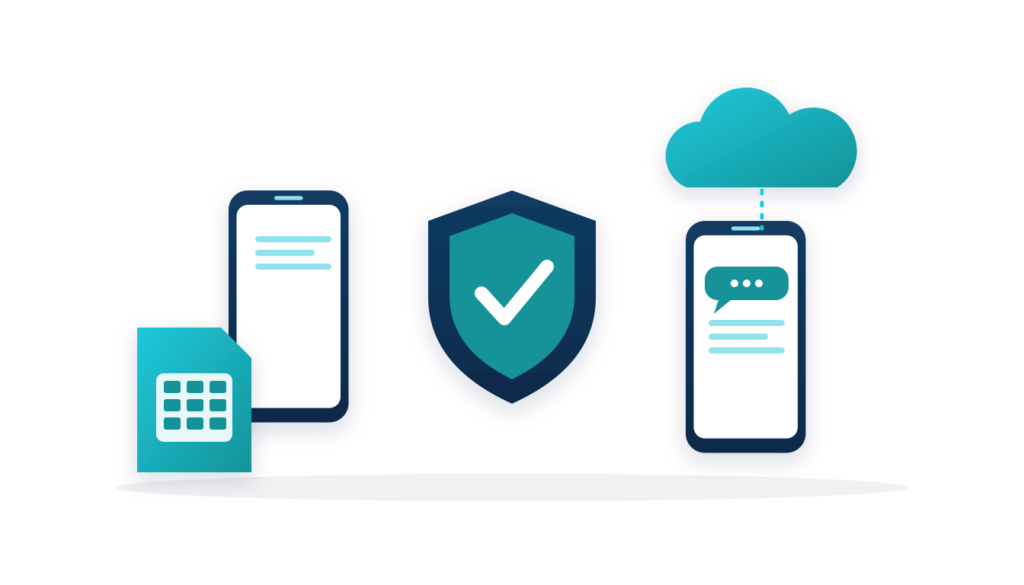
A non-VoIP number is a phone number that a traditional carrier assigns to a physical line or a SIM card. Think of the number on your AT&T, Verizon or T-Mobile phone plan, or an old-school business landline. A VoIP number, on the other hand, lives with an internet phone provider and isn’t tied to a SIM or a copper line. Both look identical when you dial them. But banks, payment apps and social platforms can tell them apart, and some of them refuse VoIP numbers at signup or for verification codes.
That’s why people search for a “free non-VoIP number.” Usually they tried to verify an account with a Google Voice or app-based number and got an error. In this guide I’ll explain what’s actually going on, why services do this, what your real options are in 2026 and what I’d avoid. I’ll also be straight with you: this guide is about using numbers legitimately. I won’t help anyone get around a company’s verification or fraud checks.
Quick background. I’ve been selling online since 2005 and running high-ticket dropshipping stores since October 2010. I founded Ecommerce Paradise in 2015. Phone sales were a big share of revenue on my stores, so I’ve managed a lot of business numbers. Today I live in Bali and run my US business line on Quo, which is a VoIP number. So the limits I describe below apply to my own line too. The technical details come from official sources like NIST, the FCC and provider documentation, checked on November 17, 2026, per our editorial standards.
VoIP numbers vs non-VoIP numbers
Every US phone number looks the same: 10 digits, area code first. The difference is who holds the number and how calls reach it.
A non-VoIP number is assigned by a mobile carrier or a local phone company. A mobile number is tied to a SIM card or eSIM in a specific device. A landline number is tied to a physical line at an address.
A VoIP number is assigned by an internet phone provider. Calls and texts travel over the internet to an app on your phone, a laptop or a desk phone. If you want the full background, read my guide on what a VoIP number is. My primer on how VoIP works covers the technology.
Fixed VoIP vs non-fixed VoIP
Here’s a detail most guides skip. Number lookup databases often split VoIP into two buckets. Twilio’s line type intelligence documentation defines fixed VoIP as a virtual number associated with a physical device, with Comcast or Vonage as examples. It defines non-fixed VoIP as a virtual number obtained online without requiring a physical device, with Google Voice as an example.
That split matters. Non-fixed VoIP numbers are the ones most likely to get rejected, because anyone can create one in minutes with no ID and no device.
| Number type | Who issues it | Tied to | Typical verification acceptance |
|---|---|---|---|
| Mobile (carrier) | AT&T, Verizon, T-Mobile and other carriers | A SIM or eSIM in a device | Widely accepted |
| Landline | Local phone company | A physical line at an address | Accepted for voice codes, usually can’t receive texts |
| Fixed VoIP | Cable and home phone VoIP providers | A device or service address | Mixed |
| Non-fixed VoIP | App-based and cloud phone providers | An online account | Often rejected for verification |
Why some services reject VoIP numbers
This isn’t personal. Companies block VoIP numbers for a few practical reasons.
Fraud and fake accounts
A carrier number usually means someone signed a contract, paid for a plan or at least bought a SIM. A non-fixed VoIP number can often be created from an app in a couple of minutes. Scammers and bot farms use them to open hundreds of fake accounts. So banks, marketplaces, dating apps and social platforms use number lookups and reject the line types they see the most abuse from.
Security standards
The bigger reason is security guidance. NIST’s digital identity guidelines, SP 800-63B, cover out-of-band authentication, which is the official name for sending you a code on a separate device. NIST says methods that don’t prove possession of a specific device, such as VoIP or email, shall not be used for that kind of authentication. It also says the verifier shall verify that the pre-registered phone number is associated with a specific physical device.
So when your bank refuses a VoIP number for login codes, it’s often following this kind of guidance. The goal is to make sure the code goes to a real device you own.
Short codes
There’s also a plain technical issue. Many verification texts come from short codes, the 5 or 6 digit numbers you see on bank alerts. Quo’s own messaging troubleshooting guide says most 2FA and verification codes are sent from short codes, Quo numbers can’t receive short code SMS, and this is a VoIP limitation that applies across providers. That includes my number. So even when a service accepts your VoIP number, the code may never arrive.
Is a non-VoIP number more secure?
Not automatically. Carrier numbers have their own risk: SIM swapping. That’s when a scammer convinces a carrier to move your number to their SIM, then receives your codes. The FCC took this seriously enough to act. In November 2023 it adopted rules against SIM swap and port-out fraud that require wireless providers to use secure methods to authenticate customers before moving a number, and to notify customers immediately when a SIM change or port-out request is made.
And SMS codes in general are not the strongest form of login protection. CISA says the only widely available phishing-resistant authentication is FIDO/WebAuthn, and it calls phishing-resistant MFA the standard to aim for, while noting that any MFA is better than none. You can read more on CISA’s multifactor authentication page.
Here’s my practical take. If a service offers an authenticator app, a security key or a passkey, use that instead of text codes. Then the VoIP vs non-VoIP question stops mattering for logins. Keep SMS for the services that offer nothing else, and point those at a carrier number you control.
Free non-VoIP numbers: what’s real and what to avoid
Let’s talk about the search that brought a lot of you here. Free non-VoIP number.
The honest answer: a real, private, carrier-issued number that’s completely free basically doesn’t exist. Carriers pay for numbers and network access. Somebody pays.
Public “receive SMS online” sites
You’ll find websites that list phone numbers anyone can use to receive texts in a browser. Stay away. Those numbers are shared. Anyone on the internet can read the codes that arrive, which means anyone can take over an account you register with one. Many services already block them. And using them to get around a service’s verification rules usually breaks that service’s terms.
“Non-VoIP number” rental apps
There’s also a whole market of apps and sites that rent “real” numbers for one-time verification. I don’t recommend them for a business. You don’t control the number long term. If you ever need to recover your account, that number may belong to someone else. If the service’s purpose is to get around a platform’s identity checks, that can break the platform’s terms, and in some cases the law. Your business accounts, bank, payment processor and ad accounts are worth too much to risk on a borrowed number.
What does cost almost nothing
The cheap, legitimate options are boring, and that’s a good thing:
- A prepaid SIM or eSIM from a major carrier or a carrier-owned prepaid brand, kept active on a low-cost plan.
- Your existing personal mobile number, used only for account verification and never published.
- A company mobile line for each person who needs to own business accounts.
- A business landline if you still have one, for services that offer voice call codes.
Prepaid plan prices change often, so check the carrier’s current plans before you buy. Also check its rules for how long a number stays active without use, because a number that gets recycled is a number someone else can receive your codes on.
How a business should set up its numbers
This is where I want to save you from a mess I see all the time. A business ends up with accounts tied to random phones, an ex-employee’s cell or a free app number nobody remembers. Then the code goes to a phone nobody has, and you lose the account.
Here’s the setup I recommend for small businesses in 2026.
1. A VoIP number for customers
Your public number, the one on your website, Google Business Profile and invoices, should be a business VoIP line. It rings on any device, routes to your team, handles texting and works from anywhere. Mine has run from Bali for years. For most small teams I’d use Quo, because that’s what I run, with unlimited US and Canada calling and texting on every plan under its fair usage policy. My virtual phone number for business guide covers the setup.
2. A carrier number for verification and admin
Keep at least one carrier-issued mobile number owned by the business, or by the owner, for account verification. Bank, payment processor, domain registrar, Google, Meta, Amazon and anything else that sends login codes. Don’t publish it anywhere.
3. Authenticator apps or passkeys wherever possible
Turn on app-based codes, passkeys or security keys on every account that supports them. Store backup codes in a password manager that more than one trusted person can access.
4. A simple record of what’s tied to what
Keep a sheet listing every important account, which number and email it uses for recovery and who controls that number. Update it when someone leaves. It takes 20 minutes and it can save your business.
| Job | Best number type | Why |
|---|---|---|
| Public customer line | Business VoIP | Rings anywhere, team routing, texting, cheap to add numbers |
| Bank and payment logins | Carrier mobile, or better, an authenticator app | Accepted widely and tied to a device you control |
| Marketing texts to customers | Registered business texting number | Carriers require registration for business messaging |
| Ad and marketplace accounts | Carrier mobile for recovery | Fewer verification failures |
| Toll-free national line | Toll-free number from a VoIP provider | Professional look, works across the US |
What to do if a service rejects your VoIP number
Say you’re setting up an account and it says your number isn’t supported. Here’s the order I’d try:
- Check whether the service offers email, an authenticator app or a passkey instead. Many do once you dig into the security settings.
- Use the owner’s real mobile number for the verification step, then add the business VoIP line as a contact number where the service allows it.
- If it’s a business account, contact the service’s support team and ask what number types they accept. Some will verify a business by phone call or documents.
- If you need a dedicated carrier number for the business, get a prepaid or business mobile line from a carrier and keep it active.
That’s it. Don’t try to trick the lookup. The service built that check on purpose, and fighting it puts the account at risk.
Think twice before porting your cell number to VoIP
Here’s a trap I want you to avoid. Lots of solo owners decide to move their personal cell number into a business VoIP app so everything lives in one place. Porting is easy, and the FCC’s guide on keeping your number when you change providers confirms you can move a number between wireless, wireline and IP providers in the same area.
But number lookups check who holds the number now, not who held it before. Once your old cell number lives with a VoIP provider, it can start showing up as VoIP. Every bank, payment app and marketplace that sends codes to that number may stop working, or flag the account.
So before you port, do 3 things:
- Log into every important account tied to that number and switch its login method to an authenticator app or passkey.
- Add a second carrier number or a backup email for recovery wherever the service allows it.
- Keep a list of what you changed, so you can fix anything that breaks after the port.
If that sounds like too much work, don’t port. Keep your cell number on the carrier, get a fresh VoIP number for the business and put that one on your website. That’s the cleaner setup for most people anyway.
Do VoIP numbers still make sense for business?
Absolutely. The verification issue is about logging into other companies’ services. It has nothing to do with whether customers can call you, text you or trust you.
On my high-ticket stores, the phone number on every page drove serious revenue. Buyers spending thousands of dollars wanted to talk to someone first. A VoIP line handled all of that, and today it’s what lets me run a US business from Bali. No carrier SIM could have done that as easily.
If you’re comparing providers, start with my business VoIP for beginners guide. If you’re on Google Voice and running into limits, my guide to Google Voice alternatives covers your options.
What I’d use
Here’s what I’d actually do.
For the public business line, Quo is my pick, because I use it every day and Sona, its AI agent, answers when I can’t. Starter is $15 per user per month billed annually or $19 monthly, with a 7-day trial and $5 for each extra number, per the Quo pricing page I checked on November 17, 2026.
Read my Quo review for the full picture, including the downsides.
If you’re a solo owner who just wants a professional second number that forwards to your cell, Grasshopper is simple to set up. It lists pricing starting at $14 per month billed annually, and a 7-day free trial with no credit card required.
For verification, keep a carrier mobile number you own and control, and switch to authenticator apps or passkeys wherever a service supports them. That combo gives you the flexibility of VoIP for customers and fewer login headaches.
I haven’t tested Grasshopper hands-on for this site. That section comes from Grasshopper’s official pricing page.
Give customers a real business line that rings anywhere
Quo starts at $15 per user per month billed annually, with unlimited US and Canada calling and texting under fair use and a 7-day trial.
FAQ
What is a non-VoIP number?
A non-VoIP number is a phone number issued by a traditional carrier and tied to a SIM card, eSIM or physical phone line. Mobile numbers from major carriers and business landlines are the most common examples.
How can I tell if a number is VoIP or not?
Number lookup services check carrier records and return a line type, such as mobile, landline, fixed VoIP or non-fixed VoIP. Your own provider can also tell you. If your number came from an app or a cloud phone service, it’s almost certainly VoIP.
Is Google Voice a VoIP number?
Yes. Google Voice numbers are VoIP numbers, and Twilio’s line type documentation lists Google Voice as an example of non-fixed VoIP. That’s why some banks and apps won’t accept Google Voice for verification. My Google Voice for business guide covers its other limits.
Can I get a free non-VoIP number?
Not a private, reliable one. Public receive-SMS sites are shared, so anyone can read your codes. The cheapest legitimate option is a low-cost prepaid plan from a carrier, kept active so the number isn’t recycled.
Why can’t my VoIP number receive verification codes?
Many verification codes come from short codes, and VoIP numbers generally can’t receive short code texts. Some services also block VoIP line types on purpose for fraud and security reasons. Try email, an authenticator app or a carrier mobile number instead.
Should my business use a VoIP number or a carrier number?
Both. Use a business VoIP number as your public line for customers, and keep a carrier mobile number for account verification and recovery. Use authenticator apps or passkeys wherever you can.
Related guides
- What is a VoIP number?
- Virtual phone number for business
- Google Voice alternatives
- Business VoIP for beginners
- Toll free number for business

Trevor Fenner publishes VoIP Paradise, covering business phone software, remote-team communications and practical calling workflows. Articles distinguish documented research from direct testing.