
Everybody knows Zoom for video meetings. Fewer people know that Zoom also sells a full business phone system, and a lot of businesses already paying for Zoom are wondering if they should just add it on. So in this Zoom Phone review I’m going to break down exactly what it costs in 2026, what you get on each plan, the gotchas in the fine print, and who should pick something else. Let’s get into it.
A bit about me so you know where I’m coming from. I’ve been selling online since 2005, and I’ve run high-ticket ecommerce stores since October 2010. It’s what I teach over at Ecommerce Paradise. On those stores we put the phone number on every page, because people about to spend $3,000 or more want to talk to someone first. Phone sales were a huge part of revenue. So I look at phone systems with one question in mind. Will this help me answer more calls and close more sales?
Full transparency. I have not used Zoom Phone for my own business. My business line runs on Quo, and I run a US number from Bali with Quo’s AI agent answering when I’m busy. This Zoom Phone review is research based. It’s built from Zoom’s official pricing page, Zoom’s own support library and FCC guidance, all checked on November 17, 2026, per our editorial standards. Zoom doesn’t have an affiliate program I’m part of, so I don’t earn anything if you buy Zoom Phone. Where I do recommend an alternative that I have an affiliate link for, I’ll say so.
Add a business phone line to the Zoom you already use
Zoom Phone US and Canada Unlimited is $16 per user per month billed annually, with domestic calling, SMS and MMS, call recording and AI post-call summaries.
Zoom Phone review: the quick verdict
Here’s the short version.
- Best for: businesses that already use Zoom for meetings and want calling in the same app and the same admin portal.
- Not ideal for: anyone who wants to pay month to month. Zoom’s pricing page says all plans are billed annually as a single upfront charge.
- Price: US and Canada Metered is $10.50 per user per month, US and Canada Unlimited is $16, Workplace Pro Plus is $20.50 and Workplace Business Plus is $24.50, all billed annually.
- Biggest strengths: low price for unlimited US and Canada calling, it lives inside the Zoom app your team already knows, AI post-call summaries, and cheap add-ons like international calling.
- Biggest weaknesses: annual upfront billing, meetings capped at 40 minutes on the cheapest phone plans, and SMS limited to the US and Canada.
New to internet phone systems? Read my business VoIP for beginners guide first. It’ll make the rest of this review click.
What Zoom Phone is in 2026
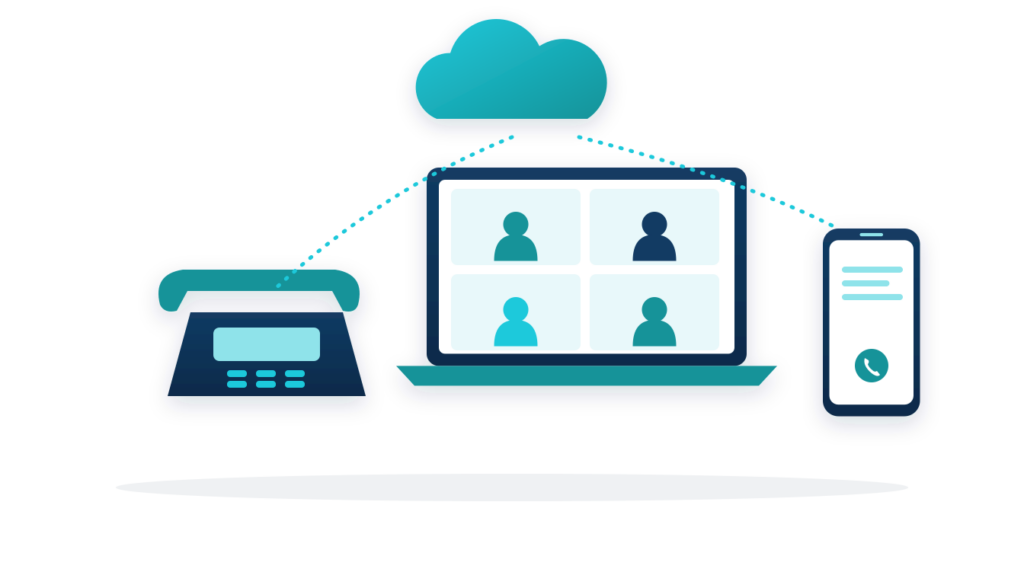
Zoom Phone is a cloud phone system that runs inside the Zoom Workplace app. Your team gets business phone numbers, calling, texting, voicemail and call routing from the same app they already use for video meetings and chat. Because it runs over the internet, it’s VoIP, so you can make and take calls from a laptop, a phone app or a desk phone.
The big pitch is consolidation. One vendor, one bill, one admin portal. If your team lives in Zoom all day, having the phone in the same place is a genuinely nice setup.
Zoom also now sells a Virtual Agent Receptionist, which is AI that answers calls for you. The pricing page says it comes with a free trial of 100 minutes, included with Phone plans. I’ll talk about that more below.
Zoom Phone pricing in 2026
Here’s what the official Zoom Phone pricing page showed in US dollars when I checked it in November 2026.
| Plan | Price per user per month | What it adds |
|---|---|---|
| US and Canada Metered | $10.50, billed annually | Phone service with metered domestic calling |
| US and Canada Unlimited | $16, billed annually | Unlimited domestic calling plus SMS, MMS, fax, recording and AI summaries, bundled with Workplace Basic |
| Workplace Pro Plus | $20.50, billed annually | Phone US and Canada Unlimited plus Workplace Pro with 30-hour meetings and AI notes |
| Workplace Business Plus | $24.50, billed annually | Everything in Pro Plus plus 300-person meetings, unlimited fax, SSO and more admin controls |
There’s also a Global Select plan for companies in more than 40 countries and territories. It gives you one flat price per user for domestic calling in those countries. The pricing page didn’t show a number for it when I checked, so confirm with Zoom if you need it.
The billing fine print you need to know
This is the most important part of the pricing section, so read it twice. A footnote on Zoom’s pricing page says all plans are billed annually as a single upfront charge. The monthly rates shown are the annual total divided by 12, and you won’t be charged monthly.
So that $16 plan is really $192 per user per year, paid upfront. For a 5-person team on US and Canada Unlimited, that’s $960 on day 1. That’s not a bad price at all for a year of unlimited calling. But if you were expecting to pay $80 a month and cancel anytime, that’s not how this works. Budget for it.
Zoom Phone add-ons
The pricing page lists these Phone add-ons.
- Additional phone numbers: $5 per month each, billed annually. This covers local, toll-free or international premium numbers.
- International Calling: $10 per month, billed annually, for unlimited international calling to more than 15 countries and regions.
- Zoom Phone Customer Engagement Pack: $25 per month, billed annually, for enhanced call queue analytics and historical insights.
- Desk phones and headsets: talk to Zoom for pricing.
That international calling add-on is a nice deal if you call a lot of people abroad. I run my business from Bali, and I know how fast international minutes add up if you’re not careful. For more on that topic, see my guide to VoIP international calls.
Core features: what you get
Let’s walk through what the US and Canada Unlimited plan actually includes, since that’s where most small businesses will land.
Calling and numbers
You get unlimited domestic calling in the US and Canada, a domestic phone number included, and you can make and receive calls from multiple devices and apps. International calling is metered unless you add the $10 add-on. One management portal covers it all.
Texting
Domestic SMS and MMS are included, available in the US and Canada. That’s it for texting regions. If you need to text customers in other countries, Zoom Phone isn’t the tool. And for US texting you’ll need to complete 10DLC registration, which I’ll cover below.
Fax
Domestic online fax is included, with 50 pages per month on the lower plans and unlimited on Business Plus. If you’re in a field like healthcare, legal or real estate where people still fax, that’s a nice extra you don’t have to pay for separately.
AI features
US and Canada Unlimited lists post-call summaries, voicemail prioritization and task extraction. Pro Plus adds unlimited My Notes, which is Zoom’s AI note taker for Zoom, third-party and in-person conversations.
Post-call summaries are the part I’d care about most. On my high-ticket stores, the hardest part of phone sales wasn’t the call. It was remembering every detail for the follow-up. Automated summaries help with that.
Integrations
The pricing page lists integrations with Salesforce, Slack, Contact Center, Microsoft and Google. That covers a lot of small businesses. If you rely on HubSpot or another CRM, check Zoom’s marketplace for that specific integration before you buy.
Meetings: watch the 40-minute limit
Here’s a sneaky one. US and Canada Unlimited is bundled with Workplace Basic, and the pricing page lists meetings at 40 minutes per meeting and 100 participants. If you need longer meetings, Pro Plus at $20.50 bumps that to 30 hours per meeting. So if you’re switching both your meetings and your phones to Zoom, Pro Plus is probably the real starting price.
Get calling, texting and meetings in one Zoom app
Workplace Pro Plus is $20.50 per user per month billed annually, with unlimited US and Canada calling, 30-hour meetings and unlimited AI notes.
Zoom Virtual Agent Receptionist
Zoom now offers an AI receptionist that answers calls for you. The pricing page says there’s a free trial with 100 minutes included with Phone plans. Beyond the trial, the pricing wasn’t spelled out on the page I checked, so confirm the cost with Zoom before you build your call flow around it.
I’m a big believer in AI answering for small businesses. My own line uses Quo’s AI agent, Sona, to pick up when I can’t, and I tell people who want me directly to WhatsApp me. Missing a call from a ready-to-buy customer is the worst. If AI answering is your main goal, read my guide to the AI receptionist options to compare what’s out there.
10DLC texting registration on Zoom Phone
If you text US customers from a local Zoom Phone number, you need A2P 10DLC registration. Zoom’s 10DLC compliance guide says mobile carriers in the US and Canada now require 10DLC compliance before messages can be sent through application-based services like Zoom Phone.
Here’s how it works according to that guide. You create a brand, then a campaign, and each number has to be assigned to an active campaign before it can text. Brand approval usually takes 1 to 2 hours. Campaign approval can take up to 4 weeks for carrier review. The guide also mentions monthly costs for additionally registered brands and campaigns but doesn’t list exact amounts, so ask Zoom what you’ll pay.
My advice is simple. Start the registration the day you sign up. Include your business name in your sample messages and have a privacy policy link ready, because the guide says campaigns get rejected without them. If texting is a big part of your business, compare tools in my best business texting services roundup.
911 and emergency calling on Zoom Phone
Emergency calling is not something to guess about, so here’s what the official sources say.
The FCC’s guide to VoIP and 911 says interconnected VoIP providers must get your physical location before activating service and give you easy ways to update it. It also warns VoIP may not work during a power outage or if your internet connection fails.
Zoom’s guide to US emergency calling regulations says the RAY BAUM’S Act requires a dispatchable address to be sent with emergency calls. On Zoom’s native service, numbers inherit the default site address, admins can change addresses for users and common area phones, and an address must be validated before it can be saved. Admins can also let users manage their own emergency addresses, which helps for remote teams. Zoom’s guide also states that organizations are responsible for their own compliance with these regulations.
So what you should do is this. Set a validated address for every user and every desk phone during setup. Turn on user-managed addresses if people work from home. Keep a cell phone as a backup for outages. And confirm the setup with Zoom for your specific locations.
Porting your number to Zoom Phone
In the US you can usually keep your existing business number when you switch, which is called porting. My rule never changes. Keep your old service active until the port completes and calls are ringing on Zoom. Grab your latest bill from your current carrier before you start, so the account number and billing name match exactly on the request. And give yourself a buffer of a couple of weeks before any big launch or ad campaign, just in case the port gets delayed.
Zoom Phone pros and cons
Here’s my honest scorecard based on the research.
Pros
- Low price for unlimited US and Canada calling at $16 per user per month annually.
- Lives inside the Zoom app your team probably already uses.
- SMS, MMS, fax and call recording included.
- AI post-call summaries, voicemail prioritization and task extraction included.
- Cheap add-ons, like $10 per month for unlimited international calling to more than 15 countries and regions.
- Integrations with Salesforce, Slack, Microsoft and Google.
Cons
- Billed annually as one upfront charge, with no monthly billing.
- Meetings capped at 40 minutes on the US and Canada Unlimited bundle.
- SMS only works in the US and Canada.
- AI receptionist pricing beyond the trial isn’t shown on the pricing page.
- Global Select pricing wasn’t listed on the page when I checked.
Zoom Phone vs the alternatives
Zoom has no affiliate program, so I don’t earn anything from Zoom. Some of the alternatives below do have affiliate links, and I’ll be upfront about that.
| Provider | Starting price | Billing | Best for |
|---|---|---|---|
| Zoom Phone | $16 per user per month for unlimited US and Canada | Annual, upfront | Teams already living in Zoom |
| Quo | $15 per user per month annually, $19 monthly | Annual or monthly | Solo owners and small teams that want a shared inbox for calls and texts |
| Dialpad | $15 per user per month annually, $27 monthly | Annual or monthly | AI transcripts and summaries on every call |
| Aircall | $30 per license per month annually, 3-license minimum | Annual or monthly | CRM-heavy sales and support teams |
If you want month-to-month flexibility, Quo is what I’d pick. It’s what I run my own business line on, it has a 7-day free trial, and its AI agent Sona can answer when you can’t.
I compare Zoom Phone with one of the big names in my Zoom Phone vs RingCentral breakdown. And for a full ranked list, check my best VoIP for small business picks.
My verdict on Zoom Phone
So is Zoom Phone worth it in 2026? If your team already lives in Zoom, yes, it’s a strong and affordable pick.
At $16 per user per month on annual billing, you get unlimited US and Canada calling, texting, fax, recording and AI summaries inside an app your team already knows. That’s hard to beat for value. The add-ons are reasonably priced too.
But the annual upfront billing is a real commitment, the cheapest bundle limits meetings to 40 minutes, and texting is US and Canada only. If you need flexibility, global texting or a dedicated sales calling tool, look elsewhere.
What I’d do is this. If you’re already a Zoom customer, start the free trial on US and Canada Unlimited, port 1 number first and test it for a week. If you’re not already on Zoom, compare it with a monthly option like Quo before you commit a year of money upfront.
Want month-to-month instead of paying a year upfront?
Quo starts at $15 per user per month on annual billing or $19 month to month, with a 7-day free trial and its AI agent Sona on every plan.
FAQ
How much does Zoom Phone cost per month?
As of November 2026, Zoom Phone US and Canada Metered is $10.50 per user per month and US and Canada Unlimited is $16 per user per month. Workplace Pro Plus is $20.50 and Workplace Business Plus is $24.50. Zoom’s pricing page says all of these are billed annually as a single upfront charge, with the monthly figure shown for comparison only.
Is there a free trial of Zoom Phone?
Zoom’s pricing page shows a “Start free trial” option on the US and Canada Unlimited plan. The Virtual Agent Receptionist also comes with a free trial of 100 minutes included with Phone plans. Check the page for the current trial length and terms.
Can I use Zoom Phone without a Zoom Workplace plan?
Zoom Phone plans on the pricing page are bundled with a Workplace tier. US and Canada Unlimited is added to Workplace Basic, Pro Plus is added to Workplace Pro, and Business Plus is added to Workplace Business. So you’ll get the Zoom Workplace app either way.
Does Zoom Phone include texting?
Yes. Domestic SMS and MMS are included, available in the US and Canada. You must complete 10DLC brand and campaign registration before a US number can send texts.
Does Zoom Phone work with 911?
Yes. Zoom says its phone system supports RAY BAUM’S Act dispatchable location, admins can set validated emergency addresses for users and devices, and users can be allowed to manage their own addresses. VoIP 911 can fail during power or internet outages, so keep a backup phone and confirm your setup with Zoom.
Is Zoom Phone good for small business?
It’s a good fit for small businesses already using Zoom that can pay annually upfront. If you want to pay month to month, a provider like Quo or Dialpad may suit you better.
Related guides
- Zoom Phone vs RingCentral
- Best VoIP for small business
- Quo review
- Dialpad review
- VoIP international calls

Trevor Fenner publishes VoIP Paradise, covering business phone software, remote-team communications and practical calling workflows. Articles distinguish documented research from direct testing.