
8×8 is one of the oldest names in business VoIP. It’s a public company, it sells phone, video, chat and a full contact center on one platform, and it shows up on just about every enterprise shortlist. But if you’re a small business owner trying to figure out what it actually costs and whether it’s right for you, the website doesn’t make it easy.
So in this 8×8 review I’ll lay out what 8×8 sells in 2026, how you buy it, what the features really are, the downsides, and who should pick something else. I checked 8×8’s official product pages, pricing page, support docs and investor site on November 17, 2026.
Let me be upfront about where I’m coming from. I’ve been selling online since 2005, founded Ecommerce Paradise in 2015, and ran high-ticket dropshipping stores where phone sales were a big chunk of revenue. These days I run my own US business number from Bali on Quo. I have not used 8×8 hands-on for this site, so this review is research-based, per our editorial standards. Where 8×8 doesn’t publish something, I’ll say so instead of guessing.
Quick version. 8×8 is a strong fit for mid-size and larger companies, especially ones that want a business phone system and a real contact center from one vendor, often across several countries. For a 3-person shop that just needs calls and texts, it’s more platform and more sales process than you need.
See what 8×8 would cost for your team
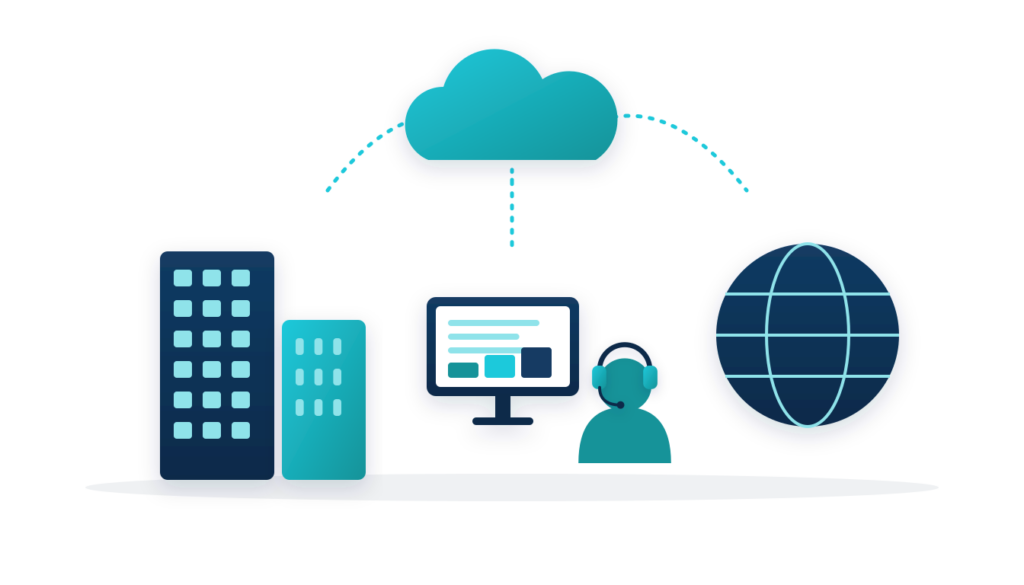
8×8 sells phone, video, chat and contact center on one platform, with pricing by custom quote through its sales team.
8×8 review: the short version
Here’s my scorecard.
- Best for: mid-size companies, multi-location and international teams, and businesses that need a contact center tied to their phone system.
- Price: not published. 8×8’s plans and pricing page asks you to request a quote or chat with sales.
- Standout features: cloud PBX with ring groups and queues, a full omnichannel contact center, AI tools like Conversation IQ and AI Studio, Microsoft Teams integration, and a 99.999% uptime claim.
- Biggest downsides: no public pricing, no free trial listed, a sales-led buying process, and more complexity than most small businesses need.
- My rating: 3.5 out of 5 for small businesses. 4 out of 5 for mid-size and larger teams that need contact center and global coverage.
What is 8×8?
8×8, Inc. sells cloud communications. That means your phone system lives in 8×8’s data centers instead of a box in your office, and your team calls from desk phones, a desktop app, a browser or a mobile app. If that idea is new to you, my beginner’s guide to business VoIP explains how it works in plain English.
8×8 is a publicly traded company. Its investor site lists $715 million in revenue for fiscal year 2025, which ended March 31, 2025. On November 4, 2026 it reported what it called record revenue for the second quarter of fiscal 2027. And its Business Phone page says 8×8 was recognized again in the 2026 Gartner Magic Quadrant for UCaaS. So this isn’t a tiny startup that might disappear next year.
The 8×8 product lineup in 2026 breaks down like this, based on its plans and pricing page.
- 8×8 Work: unified communications, meaning calling, meetings, messaging, a receptionist console and analytics.
- 8×8 Contact Center: omnichannel routing, agent and supervisor workspaces, AI self-service and secure payments.
- 8×8 Engage: customer-facing teams outside the contact center, with queues, conversation intelligence and calling.
- 8×8 for Microsoft Teams: adds 8×8 calling and contact center to Teams.
- Communications APIs: SMS, voice, video and authentication for developers.
8×8 pricing in 2026
This is the big frustration for small business owners. 8×8 does not publish prices. When I checked its official plans and pricing page on November 17, 2026, it said you can mix and match offerings into a custom plan, and every product had a “Chat with Sales” or “Request a Quote” button. No per-user price, no contract length, no free trial.
Some third-party sites publish 8×8 price estimates. I couldn’t verify any of them on an official 8×8 page, so I’m not going to quote them here. Your quote is the only number that counts.
What to ask for in your 8×8 quote
Here’s the checklist I’d use. Get every answer in writing.
- Per-user monthly price for the exact product mix you want.
- Contract length, auto-renewal terms and early termination fees.
- Minimum seat count, if any.
- Which countries are included for unlimited calling, and the per-minute rates for everything else.
- Toll-free minutes included, if any.
- One-time setup, porting or onboarding fees.
- Taxes and regulatory fees, including any E911 fee.
- Hardware cost if you need desk phones.
- Business texting limits and registration costs.
How 8×8 compares on published pricing
For context, here’s what competitors with public pricing charged when I checked their official pages on November 17, 2026.
| Provider | Entry business phone plan | How you buy |
|---|---|---|
| 8×8 | Quote only | Sales-led quote |
| Nextiva | NEXT Core $15 per user per month billed annually, $23 monthly | Self-serve or sales |
| Dialpad | Connect Standard $15 per user per month | Self-serve with 14-day trial |
| RingCentral | RingEX Core $20 per user per month billed annually, $30 monthly | Self-serve with 14-day trial |
| Quo | Starter $15 per user per month billed annually, $19 monthly | Self-serve with 7-day trial |
Here’s what you should do. If you’re under about 20 users, start by pricing out one of the self-serve providers above. Then get an 8×8 quote and compare. If 8×8’s quote is close and you value the contact center or global reach, it can win. If it’s way higher, you know where you stand.
Core features
Here’s what 8×8 lists for its business phone system and contact center. This section is research-based, from 8×8’s product pages and support docs.
Cloud PBX calling
8×8’s Business Phone page lists the standard cloud PBX features you’d expect. Auto attendant, voicemail, flexible call flows, ring groups, call queues, call monitoring, call parking, 3-way calling, overhead paging, music on hold, presence and a company directory. It also lists unlimited calling, SMS and fax, plus local number porting and direct dial numbers.
If you want to understand how these pieces fit together, my guide to what a hosted PBX phone system is walks through each one.
Apps for desktop, web and mobile
The 8×8 Work apps handle voice, video, chat and fax on desktop, web and mobile. So your team can take a call on their laptop at the office and switch to their phone on the road.
Contact center
This is where 8×8 really separates itself from small business VoIP apps. 8×8’s Contact Center page lists voice, chat, email, SMS, RCS, video and social on one platform. It includes omnichannel routing, agent and supervisor workspaces, workforce management with forecasting and scheduling, speech analytics and customer journey views.
On the AI side, it lists agent assist, AI-driven virtual agents that can hand off to a human with context, AI routing, and AI Studio for building and testing AI agents. Integrations shown include Salesforce, Zendesk, Google Workspace and Microsoft Teams.
For comparison against other contact center tools, see my roundup of the best call center software.
Conversation IQ and analytics
8×8 lists UC Analytics and Conversation IQ on its Business Phone page. It describes Conversation IQ as conversational AI that uncovers insights and helps team leads coach. If you manage a sales or support team, that kind of call insight is useful.
Microsoft Teams integration
If your company lives in Teams, 8×8 for Microsoft Teams adds 8×8 calling and contact center to Teams. 8×8’s investor news on November 2, 2026 announced a Microsoft certification for 8×8 Voice for Microsoft Teams.
Global coverage
8×8’s global page claims support in 100+ countries, international rates from 2 cents a minute, 24x7x365 follow-the-sun support and 10 multilingual support teams. It didn’t list the exact unlimited calling countries, so get that on your quote.
Reliability
8×8 states 99.999% uptime on its contact center and VoIP page. That’s about 5 minutes of downtime a year. Ask for the actual SLA terms in your contract, including what credits you get if they miss it.
Want published pricing and a contact center option?
Nextiva lists its NEXT plans online from $15 per user per month billed annually, with contact center plans from $75 per agent per month.
911, porting and texting
This is the compliance stuff people skip. Don’t.
E911 and Nomadic 911
Every interconnected VoIP provider has to support 911, and the FCC requires that 911 calls from multi-line systems send a dispatchable location. The FCC’s page on dispatchable location for 911 calls explains the rules.
8×8’s support docs describe an optional feature called Nomadic 911 for US and Canada customers. When a user is at a mapped company location, it detects location from the network. Off-site, the user supplies the address. Users can dial 933 from 8×8 Work to confirm the address on file. It can also notify a reception or security desk when someone dials 911 from a big building.
So what you should do is ask 8×8 to set up Nomadic 911 if your team works from more than one place. And tell every remote worker to update their emergency address whenever they move. Always confirm emergency calling details with 8×8 for your locations.
Number porting
8×8 lists local number porting as a standard feature. You have the right to keep your number when you switch, as the FCC explains in its guide to porting your phone number. Don’t cancel your old service until the port completes.
Business texting
8×8 lists SMS as part of Business Phone and high-volume messaging in 8×8 Work. In the US, texting from business numbers generally requires carrier registration, and messages have to follow the CTIA messaging principles and best practices. Ask 8×8 how it handles registration and what it costs before you plan any SMS campaigns.
Call recording
8×8 lists call recordings and monitoring. Some US states require consent from everyone on the call. The FCC’s guide on recording telephone conversations covers the basics. Add a recording notice to your greeting.
Pros and cons
Pros
- One vendor for phone, video, chat, contact center and APIs.
- Full omnichannel contact center with workforce management and AI agents.
- Strong global reach claims, with support in 100+ countries.
- Microsoft Teams integration with a new Microsoft certification.
- 99.999% uptime stated on its site.
- Nomadic 911 option for teams that move around.
- Public company with a long track record and Gartner recognition.
Cons
- No public pricing at all.
- No free trial listed, only an interactive demo.
- Sales-led buying process.
- Overkill for very small teams that only need calls and texts.
- You’ll need to confirm included calling countries, fees and contract terms yourself.
- Lots of products and add-ons to sort through.
8×8 vs the alternatives
Here’s how 8×8 stacks up against other providers. This section is research-based, from each company’s published pricing and product pages.
8×8 vs RingCentral
RingCentral publishes prices, offers a trial and lets you sign up yourself. 8×8 is quote-based. Both sell a phone system plus contact center. I wrote a full breakdown in RingCentral vs 8×8. My RingCentral review covers its plans.
8×8 vs Nextiva
Nextiva lists its plans online and also sells contact center plans, with Essential starting at $75 per agent per month on its pricing page. For a small or mid-size business that wants a phone system plus a path to a contact center without a long sales process, Nextiva is the closest published-price alternative to 8×8. See my Nextiva review.
8×8 vs Dialpad
Dialpad is built around AI. Its pricing page lists Connect Standard at $15 per user per month and Pro at $25, plus separate Support and Sell contact center plans. If AI transcription and coaching matter most, Dialpad is worth a trial before you sign an 8×8 contract. My Dialpad review goes deeper.
8×8 vs Quo
For a small team, this isn’t close. Quo is a simple app for calls, texts and a shared inbox, with an AI agent called Sona. I use it from Bali to run my US business line, and Sona answers when I’m asleep. People who want me directly, I tell them to WhatsApp me. If you’re a small business that doesn’t need a contact center, Quo is the easier and cheaper place to start. Read my Quo review for details.
For more options, see my list of the best VoIP providers.
How buying and switching to 8×8 works
Because 8×8 is sales-led, the process looks different from signing up for an app. Here’s the order I’d follow, based on how quote-based providers usually work and what 8×8 lists on its site.
- Take the interactive demo first. 8×8’s Business Phone page links to a product tour, so you can see the apps before you talk to anyone.
- Write down your must-haves. Number of users, locations, countries you call, whether you need a contact center, and which CRM or Teams setup you run.
- Request a quote and ask every question on the checklist above. Push for the price per user and every fee in writing.
- Get a competing quote or published price from at least 2 other providers. A quote means nothing without something to compare it to.
- Ask about onboarding. Who builds your call flows, ports your numbers and trains your team, and is that included or extra?
- Plan the port. Keep your old provider active until every number has moved and you’ve tested inbound and outbound calls.
- Set up 911 addresses for every user and every location on day 1, then have each user dial 933 to confirm.
One more tip from my own experience running stores. Phone sales live or die on the first few weeks after a switch. Test every number, every menu option and every ring group yourself before you announce the change. A broken menu that drops a $5,000 buyer costs way more than any software bill.
Who should use 8×8?
Here’s how I’d decide.
- Pick 8×8 if you have 50+ users, multiple locations or countries, and you want phone and contact center from one vendor.
- Pick 8×8 if your company runs on Microsoft Teams and you want certified calling inside it.
- Pick 8×8 if you need workforce management, AI agents and omnichannel routing for a support team.
- Skip 8×8 if you’re a solo founder or small team that just needs a business number, calls and texts.
- Skip 8×8 if you want to see a price and sign up today without talking to sales.
- Skip 8×8 if you need a free trial to test with your team first.
My verdict
8×8 is a serious, enterprise-grade platform. Phone, video, chat, contact center and AI on one stack, a public company behind it, global coverage and a 99.999% uptime claim. For mid-size and larger companies, especially ones with a contact center or teams in several countries, it belongs on your shortlist.
For small businesses, the lack of public pricing and the sales-led process are real downsides. You can’t compare 8×8 to the self-serve providers until you get a quote. So get one, compare it line by line with Nextiva, RingCentral and Dialpad, and read the contract terms twice.
My rating: 3.5 out of 5 for small businesses and 4 out of 5 for mid-size and larger teams.
If you’re a small team, I’d start with a self-serve option like Quo or Nextiva. If you’re a bigger company with a contact center, request an 8×8 quote and see if it beats the field.
Get a custom 8×8 quote for phone and contact center
8×8 Work, 8×8 Contact Center and 8×8 for Microsoft Teams, with 99.999% uptime stated and support in 100+ countries.
FAQ
How much does 8×8 cost per month?
8×8 doesn’t publish prices. As of November 17, 2026, its plans and pricing page sends you to sales for a custom quote. Ask for the per-user price, contract length, included calling countries and all fees in writing.
Does 8×8 have a free trial?
8×8 didn’t list a free trial on the product and pricing pages I checked. It offers an interactive demo and a sales conversation instead.
Is 8×8 good for small businesses?
It can work, but it’s built for bigger teams. Small businesses that just need calls and texts usually do better with a self-serve provider with published prices, like Quo, Nextiva or Dialpad.
Is 8×8 a reliable company?
8×8 is a public company that reported $715 million in fiscal 2025 revenue on its investor site. It states 99.999% uptime on its website and says it was recognized in the 2026 Gartner Magic Quadrant for UCaaS.
Does 8×8 work with Microsoft Teams?
Yes. 8×8 for Microsoft Teams adds 8×8 calling and contact center features to Teams. 8×8 announced a Microsoft certification for 8×8 Voice for Microsoft Teams on November 2, 2026.
Does 8×8 support 911?
Yes. 8×8 supports emergency calling, and it offers an optional Nomadic 911 feature for US and Canada customers that updates location automatically at mapped company sites. Confirm the setup with 8×8 for your locations.
Related guides
- RingCentral vs 8×8
- Nextiva review
- Best call center software
- Best VoIP providers
- Cloud phone systems explained

Trevor Fenner publishes VoIP Paradise, covering business phone software, remote-team communications and practical calling workflows. Articles distinguish documented research from direct testing.